Title: Mamba Cache for WooCommerce
Author: Rynald0s
Published: ഫെബ്രുവരി 11, 2026
Last modified: ഫെബ്രുവരി 13, 2026
---
Search plugins
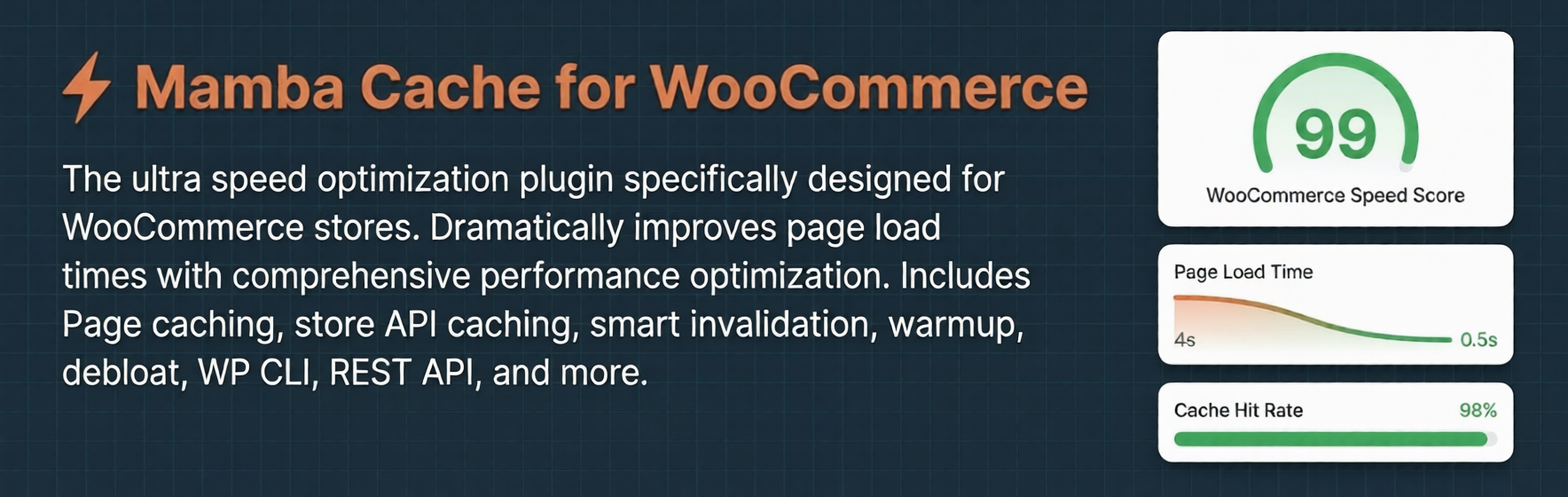

# Mamba Cache for WooCommerce
By [Rynald0s](https://profiles.wordpress.org/rynald0s/)
[Download](https://downloads.wordpress.org/plugin/mamba-cache-for-woocommerce.1.0.0.zip)
* [Details](https://ml.wordpress.org/plugins/mamba-cache-for-woocommerce/#description)
* [Reviews](https://ml.wordpress.org/plugins/mamba-cache-for-woocommerce/#reviews)
* [Development](https://ml.wordpress.org/plugins/mamba-cache-for-woocommerce/#developers)
[Support](https://wordpress.org/support/plugin/mamba-cache-for-woocommerce/)
## Description
**Mamba Cache is the fastest caching solution built from the ground up for WooCommerce
stores.**
Unlike generic caching plugins adapted for WooCommerce, Mamba understands your store’s
unique needs — products, categories, inventory, pricing, cart sessions, and checkout
flows.
### Why Mamba for WooCommerce?
* **Built for WooCommerce** — Not a generic cache with WooCommerce compatibility
bolted on
* **Sub-millisecond response times** — Serve cached pages in <1ms, bypassing PHP
entirely
* **Intelligent Warmup Engine** — Pre-generate cache for your entire catalog with
configurable concurrency, batch size, and scheduling
* **Object Cache Detection** — Auto-detects Redis, Memcached, APCu and uses them
when available
* **Smart Invalidation** — Surgical cache clearing when products, prices, or inventory
change
* **WooCommerce-Aware** — Never caches cart, checkout, or account pages; respects
logged-in users
### ⚡ Page Caching
Full-page caching optimized for WooCommerce catalog pages, products, categories,
and shop pages with automatic cache variants:
– **Product Pages** – Individual product pages with variant caching
– **Category/
Tag Pages** – Product listing pages with pagination support – **Shop Page** – Main
store catalog page – **Search Results** – WooCommerce product search pages – **Desktop/
Mobile Variants** – Separate caches for different devices – **Language Variants**–
WPML/Polylang support for multilingual stores – **Currency Variants** – Multi-currency
support (WooCommerce Multilingual, etc.) – **Geolocation Variants** – Location-based
caching for tax/geo-pricing – **Tax Display Variants** – Tax-inclusive/exclusive
display modes – **Smart Exclusions** – Logged-in users, cart/checkout/account pages
automatically excluded – **Stale-While-Revalidate** – Serves stale content during
regeneration – **Tag-Based Invalidation** – Precise purging without full cache clears
### 🛒 Store API Caching (Premium)
High-performance caching for WooCommerce Store API endpoints used by blocks and
headless setups:
– **Product Listings** – /wp-json/wc/store/v1/products endpoint caching
– **Cart
Data** – /wp-json/wc/store/v1/cart endpoint caching – **Product Categories** – Category
and tag listing endpoints – **Product Variations** – Variable product data caching–**
Scoped Vary Headers** – Per-customer cache variants based on session/currency – **
ETag/304 Support** – Efficient browser revalidation for API responses – **Per-Cart
Microcache** – Short-lived cache smooths traffic bursts during sales – **Automatic
Invalidation** – Clears on product edits, pricing changes, coupon updates, and cart
mutations
### 🖼️ Media Optimization
Comprehensive image optimization specifically for WooCommerce product images and
media:
– **LCP Optimization** – Identifies and preloads Largest Contentful Paint images
on product pages
– **Product Image Compression** – Lossy/lossless compression for
product galleries – **WebP/AVIF Conversion** – Automatic format conversion for product
images – **Bulk Processing** – Optimize existing product catalog in batches – **
CDN Integration** – Automatic purging of optimized images from CDN – **WooCommerce
Integration** – Works with product variations and gallery images
### 🗄️ Database Optimization
Automated cleanup of WooCommerce database bloat from orders, products, and sessions:
– **Order-Related Cleanup** – Expired order items, orphaned meta, system notes
–**
Product Cleanup** – Orphaned product data, unused attributes, draft products – **
Session Management** – Expired customer sessions and cart data – **Inventory Cleanup**–
Reserved stock and availability data – **18 Automated Tasks** – Comprehensive WooCommerce
table optimization – **Configurable Scheduling** – Run during low-traffic periods–**
Retention Policies** – Customizable cleanup retention for different data types
### 🎨 Critical CSS & CSS Optimization
Eliminate render-blocking CSS and improve Core Web Vitals:
– **Critical CSS Inlining** – Automatically extract and inline above-the-fold CSS
–**
CSS Deferring** – Load non-critical stylesheets asynchronously after page render–**
Force-Include Selectors** – Specify CSS selectors to always include in critical
CSS (Premium) – **Per-Page-Type CSS** – Custom critical CSS for product, shop, category,
cart, checkout pages (Premium) – **Media Print Technique** – Uses media=”print”
with automatic no-JS fallback
### 🚀 Overhead Optimization
Reduce WooCommerce bloat and improve catalog page load times:
– **Asset Optimization** – Dequeue WooCommerce CSS/JS on non-product pages
– **
HTML/CSS/JS Minification** – Conservative (HTML-only) or Aggressive (HTML + inline
CSS/JS, Premium) – **JavaScript Delay** – Delay non-critical third-party scripts
until user interaction (Premium) – **Checkout Optimization** – Optimize payment
gateway loading and form performance (Premium) – **Price HTML Simplification** –
Streamline product price display markup – **Hover Prefetch** – Preload product/category
pages on hover for instant navigation – **Resource Hints** – DNS prefetch and preconnect
for external services – **Font Preloading** – Preload critical web fonts (Premium)–**
Heartbeat Control** – Reduce AJAX frequency on frontend, admin, and editor – **Order
Attribution Disable** – Remove WooCommerce order attribution tracking script
### 🌐 CDN Integration
Deep integration with major CDN providers for WooCommerce assets and pages:
– **Cloudflare** – Direct API integration with APO (Automatic Platform Optimization)
–**
Fastly** – Service ID API integration with surrogate key (tag-based) purging and
real-time edge cache invalidation – **Bunny CDN** – Pull zone API with tag-based
purging – **Generic Webhook** – Custom purge endpoints for enterprise CDNs – **URL
Rewriting** – Rewrite product image and asset URLs to CDN – **WooCommerce-Specific
Purging** – Purge product/category pages on inventory changes
### 🎯 Smart Invalidation
Surgical cache purging optimized for WooCommerce workflows:
– **Product Updates** – Purges product page, related categories, and search results
–**
Inventory Changes** – Stock level updates trigger targeted purges – **Pricing Updates**–
Currency/tax changes clear affected catalog pages – **Category Management** – Product
moves between categories update cache accordingly – **Order Processing** – Stock
reductions from orders invalidate affected pages – **Coupon Changes** – Store-wide
coupon updates clear cart/product caches
### 📊 Performance Monitoring
Real-time statistics and health monitoring for WooCommerce stores:
– **Catalog Performance** – Track product page and category page load times
– **
Cache Coverage** – Monitor percentage of WooCommerce pages cached – **Conversion
Impact** – Track performance improvements on checkout flows – **Database Metrics**–
Monitor table sizes and cleanup effectiveness – **Savings Reports** – Bandwidth
and database savings from optimizations
### 📊 Logging & Diagnostics
Comprehensive logging for debugging and monitoring:
– **Cache Event Logging** – Track cache hits, misses, and purge operations
– **
Error Tracking** – Monitor warmup failures and cache generation errors – **Retention
Policies** – Configurable log retention periods – **Log Viewer** – Built-in admin
interface for viewing and filtering logs
### 🔥 Intelligent Warmup Engine
The most advanced cache warmup system for WooCommerce:
– **Configurable Concurrency** – Set parallel requests (1-10) based on server capacity
–**
Batch Size Control** – Process URLs in configurable batches – **Delay Settings**–
Add delays between requests to prevent server overload – **Scheduled Warmup** –
Daily warmup at custom times during low-traffic hours – **Auto-Warmup After Purge**–
Automatically regenerate cache after clearing – **Progress Tracking** – Real-time
progress with pause/resume capability – **Error Reporting** – Detailed error logs
for failed warmup requests – **Priority Warming** – Warm bestsellers and featured
products first – **Device Variants** – Warm desktop, mobile, and tablet versions–**
Content Types** – Products, categories, tags, attributes, and shop pages
### ⭐ Premium Features
Unlock advanced optimizations with Mamba Premium:
– **Store API Caching** – High-performance caching for WooCommerce Store API endpoints
–**
JavaScript Delay** – Delay non-critical third-party scripts until user interaction–**
Checkout Optimization** – Optimize payment gateway loading and form performance –**
Font Preloading** – Preload critical web fonts for faster rendering – **Preconnect
Domains** – Early connection to external services – **Aggressive Minification** –
HTML + inline CSS/JS minification – **Custom Critical CSS** – Per-page-type critical
CSS customization – **Force-Include Selectors** – Specify CSS selectors to always
include in critical CSS – **Transactional Email Deferring** – Defer order emails
to background processing
### 🔧 Developer-Friendly
Comprehensive hooks and APIs for WooCommerce customization:
– **70+ Filters** – Customize cache keys, TTL, variants, warmup, invalidation, and
more
– **7 Actions** – Hook into cache purges, Store API clears, database task
completion – **WP-CLI Commands** – Command-line cache management for WooCommerce
sites – **REST API** – Programmatic cache control for headless WooCommerce – **Multisite
Support** – Per-site caching in WooCommerce multisite networks
### 🔧 Compatibility
– **WooCommerce 5.0+** – Full compatibility with core WooCommerce features
– **
WooCommerce Blocks** – Optimized for block-based product pages – **HPOS** – High-
Performance Order Storage compatible – **Multilingual** – WPML, Polylang, WooCommerce
Multilingual support – **Multi-currency** – Compatible with currency switcher plugins–**
Page Builders** – Elementor and Breakdance integration – **Object Cache** – Redis,
Memcached support for high-traffic stores
### Command Line & API Access
Mamba provides comprehensive command-line and programmatic access for WooCommerce
store automation and integration.
### WP-CLI Commands
Full command-line interface for WooCommerce cache management and automation:
**Cache Purge Commands:**
– `wp mamba-cache-for-woocommerce purge all` – Purge all page cache and related
markers
– `wp mamba-cache-for-woocommerce purge store-api` – Purge Store API cache
only – `wp mamba-cache-for-woocommerce purge url ` – Purge specific URL – `
wp mamba-cache-for-woocommerce purge urls ` – Purge URLs from a file (one
per line) – `wp mamba-cache-for-woocommerce purge product ` – Purge cache for
specific product ID – `wp mamba-cache-for-woocommerce purge category ` –
Purge cache for specific category – `wp mamba-cache-for-woocommerce purge shop` –
Purge shop page cache – `wp mamba-cache-for-woocommerce purge home` – Purge homepage
cache – `wp mamba-cache-for-woocommerce purge tags ` – Purge CDN
by cache tags
**Warmup Commands:**
– `wp mamba-cache-for-woocommerce warmup start` – Start background cache warmup
–`
wp mamba-cache-for-woocommerce warmup status` – Check warmup job progress (JSON
output) – `wp mamba-cache-for-woocommerce warmup cancel` – Cancel running warmup
job – `wp mamba-cache-for-woocommerce warmup resume` – Resume paused warmup job –`
wp mamba-cache-for-woocommerce warmup errors` – View warmup errors (JSON output)
**Options:**
– `--and-warm` – Automatically warm the URL after purging (available on url, urls,
category, shop, home commands)
**Examples:**
```
# Purge all cache
```
wp mamba-cache-for-woocommerce purge all
```
# Purge and warm a specific product
```
wp mamba-cache-for-woocommerce purge product 123 –and-warm
```
# Purge shop page and warm it
```
wp mamba-cache-for-woocommerce purge shop –and-warm
```
# Start warmup job
```
wp mamba-cache-for-woocommerce warmup start
```
# Check warmup status
```
wp mamba-cache-for-woocommerce warmup status
### REST API Endpoints
Programmatic access to Mamba’s WooCommerce caching and optimization features:
**Status & Monitoring:**
– `GET /wp-json/mamba-wc/v1/cache-status` – Cache status, hit rates, coverage metrics
–`
GET /wp-json/mamba-wc/v1/stats` – Detailed performance statistics – `GET /wp-json/
mamba-wc/v1/cache-counts` – Cache counts by content type (products, categories,
etc.) – `GET /wp-json/mamba-wc/v1/purge-stats` – Purge operation statistics
**Cache Management:**
– `POST /wp-json/mamba-wc/v1/purge` – Purge caches (body: `{type: "all|page|api|
url", url: "..."}`)
**Warmup Operations:**
– `POST /wp-json/mamba-wc/v1/warmup` – Start foreground warmup
– `POST /wp-json/
mamba-wc/v1/background-warmup` – Start background warmup job – `GET /wp-json/mamba-
wc/v1/warmup-status` – Check warmup job progress – `POST /wp-json/mamba-wc/v1/warmup-
cancel` – Cancel running warmup job – `POST /wp-json/mamba-wc/v1/warmup-resume` –
Resume paused warmup job – `GET /wp-json/mamba-wc/v1/warmup-errors` – Get warmup
error log – `GET /wp-json/mamba-wc/v1/background-jobs` – List active background
jobs
**Authentication:**
All REST endpoints require WordPress admin authentication (`manage_options` or `
manage_woocommerce` capability). Use standard WordPress authentication methods (
cookies, application passwords, or OAuth).
### Integration Examples
**Automated Product Updates:**
When updating products via API, automatically purge affected cache:
```
# After updating product via WooCommerce REST API
```
curl -X POST https://example.com/wp-json/mamba-wc/v1/purge \
-H “Content-Type:
application/json” \ -d ‘{“type”:”url”,”url”:”https://example.com/product/my-product/”}’\-
u username:password
**Deployment Scripts:**
Include cache warmup in deployment pipelines:
```
# After deployment, clear stale cache and warm up
```
wp mamba-cache-for-woocommerce purge all
wp mamba-cache-for-woocommerce warmup
start
**Monitoring Integration:**
Monitor WooCommerce performance in external systems:
```
# Check warmup status
```
wp mamba-cache-for-woocommerce warmup status
### Minimum Requirements
– WordPress 5.0 or higher
– WooCommerce 5.0 or higher – PHP 7.4 or higher – MySQL
5.6 or higher or MariaDB 10.1 or higher
### Recommended Server Configuration
– PHP 8.0+ for optimal performance
– Redis or Memcached for object caching – Apache
or Nginx with mod_rewrite enabled – At least 256MB PHP memory limit
### External Services
This plugin connects to external services in specific scenarios. Below is a complete
list of all external service integrations:
#### CDN Integration (Optional, User-Configured)
When you configure CDN integration in the plugin settings, Mamba connects to your
chosen CDN provider’s API to purge cached content:
**Cloudflare**
* Service: Cloudflare CDN and APO (Automatic Platform Optimization)*
Data sent: Zone ID, purge requests (URLs or cache tags), API authentication token*
When: Only when you configure Cloudflare integration and trigger cache purges *
Terms of Service: https://www.cloudflare.com/terms/ * Privacy Policy: https://www.
cloudflare.com/privacypolicy/
**Bunny CDN**
* Service: Bunny CDN pull zone management * Data sent: Pull zone
ID, purge requests (URLs or cache tags), API key * When: Only when you configure
Bunny CDN integration and trigger cache purges * Terms of Service: https://bunny.
net/tos/ * Privacy Policy: https://bunny.net/privacy/
**Fastly**
* Service: Fastly CDN cache management * Data sent: Service ID, purge
requests (URLs or surrogate keys), API token * When: Only when you configure Fastly
integration and trigger cache purges * Terms of Service: https://www.fastly.com/
terms/ * Privacy Policy: https://www.fastly.com/privacy/
**Generic Webhook**
* Service: Custom webhook endpoint (user-defined) * Data sent:
Purge payload as configured by user * When: Only when you configure a custom webhook
and trigger cache purges * Note: You control the endpoint and data format
#### DNS Prefetch and Preconnect Hints (Optional, User-Configured)
When enabled, this plugin adds DNS prefetch and preconnect resource hints to help
browsers establish early connections to domains your site already uses. **The plugin
does not load any files from these domains** – it only adds HTML hints like `` to improve performance for resources your site already
loads.
Common domains that may be included in auto-detection (if enabled):
* Google Fonts (fonts.googleapis.com, fonts.gstatic.com) – for sites using Google
Fonts
* Google Analytics (www.google-analytics.com) – for sites using Google Analytics
* Payment gateways (js.stripe.com, www.paypal.com, etc.) – for WooCommerce checkout
pages
These hints only benefit domains your site already uses. No data is sent to these
domains by the plugin itself.
#### Freemius SDK (License Management)
This plugin uses Freemius for license management and optional usage analytics:
*
Service: Freemius SDK * Data sent: License key validation, optional anonymous usage
statistics (if opted in) * When: License activation, plugin updates, optional analytics*
Terms of Service: https://freemius.com/terms/ * Privacy Policy: https://freemius.
com/privacy/
## FAQ
### How does Mamba handle WooCommerce product pages?
Mamba caches individual product pages with full variant support. Each product page
is cached separately, and updates to product data (price, stock, description) automatically
invalidate the cache. Variable products are handled intelligently, caching each
variation combination.
### What happens when I update a product?
When you update a WooCommerce product (price, stock, description, images), Mamba
automatically:
– Purges the product’s individual page cache
– Purges any category pages containing
that product – Clears related Store API caches – Sends purge requests to connected
CDNs – Optionally triggers cache warmup for affected pages
### How does caching work with WooCommerce categories?
Category and tag pages are cached with pagination support. When products are added/
removed from categories, or when category settings change, Mamba purges affected
category pages. This ensures category listings always show current product inventory.
### Does Mamba cache the shop page and search results?
Yes! The main shop page, WooCommerce search results, and all product listing pages
are cached. Search results are not cached by default to prevent serving personalized
search data, but this can be customized with filters.
### How does Mamba handle WooCommerce sessions and cart data?
Mamba intelligently excludes dynamic WooCommerce content from caching:
– Logged-in users never see cached pages
– Cart, checkout, and account pages are
never cached – Cart fragments are cached per-session for guests – Session-based
personalization (prices, availability) is respected
### What about variable products and product variations?
Variable products are fully supported. Each variation combination can be cached
separately based on your store’s caching rules. Stock changes, price updates, and
visibility changes for variations trigger appropriate cache invalidation.
### How does Mamba work with WooCommerce Multilingual?
Mamba integrates with WPML, Polylang, and WooCommerce Multilingual plugins. Each
language gets separate cache variants, ensuring multilingual stores serve correct
content to each language audience.
### Can Mamba cache WooCommerce REST API responses?
Yes, with the Premium version! Store API endpoints (used by WooCommerce Blocks)
are cached with proper invalidation. This dramatically speeds up block-based product
pages and headless WooCommerce implementations.
### How does Mamba handle inventory changes?
Stock level changes trigger immediate cache purges for affected products. When orders
reduce inventory, Mamba purges the product page and related category pages to ensure
accurate stock display.
### What about pricing changes and currency switching?
Mamba caches different price displays and currencies separately. When pricing rules
change or currencies are updated, affected caches are purged. Currency switcher
plugins are fully supported.
### How does Mamba optimize WooCommerce database performance?
Mamba includes 18 automated database cleanup tasks specifically for WooCommerce:
– Expired customer sessions and cart data
– Orphaned order items and metadata –
Unused product attributes and terms – System order notes and download logs – Reserved
stock cleanup – HPOS migration cleanup
### Is Mamba compatible with my hosting provider?
Mamba works with all standard WordPress hosting providers. It uses standard WordPress
APIs and doesn’t require special server configurations. For optimal performance,
we recommend hosts that support Redis or Memcached.
### Does Mamba work with page builders?
Yes! Mamba has built-in support for Elementor and Breakdance. It automatically detects
content changes and purges affected cache entries.
### Can I use Mamba with a CDN?
Absolutely. Mamba integrates with Cloudflare, Bunny CDN, and generic webhook endpoints.
It can also rewrite asset URLs to use your CDN hostname.
### How does Mamba handle cache invalidation?
Mamba uses intelligent, tag-based invalidation. Instead of clearing entire cache,
it only purges affected pages. For example, when a product is updated, only that
product’s page and related category pages are purged.
### Is the cache persistent across deployments?
Cache files are stored in `wp-content/cache/mamba/` and persist across deployments.
Object cache (if available) also persists. We recommend excluding the cache directory
from version control.
### Does Mamba work with WooCommerce HPOS?
Yes, Mamba is fully compatible with WooCommerce High-Performance Order Storage (
HPOS/COT).
### Can I customize cache behavior?
Yes, extensively! Mamba provides 70+ filters for developers to customize TTL, cache
keys, variants, warmup behavior, and more. See our [Developer Reference](https://ml.wordpress.org/plugins/mamba-cache-for-woocommerce/docs/api-reference.html?output_format=md)
for details.
### What happens if I deactivate Mamba?
All cache files are safely removed on deactivation. Your original site performance
returns to normal. No data is lost, but cached content will need to be regenerated.
### Can I run Mamba on a multisite network?
Yes! Mamba supports WordPress Multisite with per-site caching. Activate network-
wide or per-site as needed.
### How do I monitor cache performance?
Mamba provides real-time statistics on the **Dashboard** tab, including hit rates,
generation times, coverage percentage, and total savings.
### Does Mamba affect SEO?
No, Mamba improves SEO by making your site faster. Faster sites rank better in search
engines. All cache variants are properly handled for SEO.
### Can I exclude certain pages from caching?
Yes, use the `mamba_cache_bypass` filter or add `define('MAMBA_CACHE_BYPASS', true);`
to specific pages.
### How do I clear the cache?
Use the “Purge All Cache” button in the admin bar or Mamba dashboard. For specific
URLs, use “Purge This Page” from the admin bar.
### What about security?
Mamba follows WordPress security best practices. All admin actions use nonces, input
is sanitized, and cache files are protected with .htaccess rules.
### Can I use Mamba with other caching plugins?
We recommend using Mamba as your primary caching solution. Disable other caching
plugins to avoid conflicts.
## Reviews

### [Very comprehensive!!](https://wordpress.org/support/topic/very-comprehensive-32/)
[Riaan K.](https://profiles.wordpress.org/riaanknoetze/) മാർച്ച് 14, 2026
One of the most comprehensive caching plugins I’ve seen with a very slick user interface!
Would love to see the roadmap on what’s coming 🙂. Will definitely be recommending
this to clients.
[ Read all 0 reviews ](https://wordpress.org/support/plugin/mamba-cache-for-woocommerce/reviews/)
## Contributors & Developers
“Mamba Cache for WooCommerce” is open source software. The following people have
contributed to this plugin.
Contributors
* [ Rynald0s ](https://profiles.wordpress.org/rynald0s/)
[Translate “Mamba Cache for WooCommerce” into your language.](https://translate.wordpress.org/projects/wp-plugins/mamba-cache-for-woocommerce)
### Interested in development?
[Browse the code](https://plugins.trac.wordpress.org/browser/mamba-cache-for-woocommerce/),
check out the [SVN repository](https://plugins.svn.wordpress.org/mamba-cache-for-woocommerce/),
or subscribe to the [development log](https://plugins.trac.wordpress.org/log/mamba-cache-for-woocommerce/)
by [RSS](https://plugins.trac.wordpress.org/log/mamba-cache-for-woocommerce/?limit=100&mode=stop_on_copy&format=rss).
## Changelog
#### 1.0.0
* Initial release
## Meta
* Version **1.0.0**
* Last updated **2 മാസങ്ങള് ago**
* Active installations **Fewer than 10**
* WordPress version ** 5.0 അല്ലെങ്കില് അതിലും ഉയര്ന്നത് **
* Tested up to **6.9.4**
* PHP version ** 7.4 അല്ലെങ്കില് അതിലും ഉയര്ന്നത് **
* Language
* [English (US)](https://wordpress.org/plugins/mamba-cache-for-woocommerce/)
* Tags
* [caching](https://ml.wordpress.org/plugins/tags/caching/)[optimization](https://ml.wordpress.org/plugins/tags/optimization/)
[performance](https://ml.wordpress.org/plugins/tags/performance/)[speed](https://ml.wordpress.org/plugins/tags/speed/)
[woocommerce](https://ml.wordpress.org/plugins/tags/woocommerce/)
* [Advanced View](https://ml.wordpress.org/plugins/mamba-cache-for-woocommerce/advanced/)
## Ratings
5ൽ 5 നക്ഷത്രങ്ങൾ.
* [ 1 5-star review ](https://wordpress.org/support/plugin/mamba-cache-for-woocommerce/reviews/?filter=5)
* [ 0 4-star reviews ](https://wordpress.org/support/plugin/mamba-cache-for-woocommerce/reviews/?filter=4)
* [ 0 3-star reviews ](https://wordpress.org/support/plugin/mamba-cache-for-woocommerce/reviews/?filter=3)
* [ 0 2-star reviews ](https://wordpress.org/support/plugin/mamba-cache-for-woocommerce/reviews/?filter=2)
* [ 0 1-star reviews ](https://wordpress.org/support/plugin/mamba-cache-for-woocommerce/reviews/?filter=1)
[Your review](https://wordpress.org/support/plugin/mamba-cache-for-woocommerce/reviews/#new-post)
[See all reviews](https://wordpress.org/support/plugin/mamba-cache-for-woocommerce/reviews/)
## Contributors
* [ Rynald0s ](https://profiles.wordpress.org/rynald0s/)
## Support
Got something to say? Need help?
[View support forum](https://wordpress.org/support/plugin/mamba-cache-for-woocommerce/)