
Description
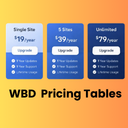
Pricing Tables Block for Gutenberg is a powerful and easy-to-use WordPress pricing table plugin that helps you create stunning pricing tables, pricing comparison tables, and pricing plans layouts directly inside the block editor.
Whether you’re building SaaS pricing pages, product comparison tables, or service plans — this Gutenberg pricing table block gives you full control without any coding.
🚀 Perfect for freelancers, agencies, SaaS, startups, and WooCommerce websites.
Key Features:
- Multiple Pricing Plans — Add up to 6 pricing plans displayed side by side in a responsive grid.
- Customizable Plan Details — Set plan name, price, currency symbol, billing period, and description for each plan.
- Feature Lists — Add unlimited features per plan with optional checkmark or cross icons to indicate included/excluded features.
- Call-to-Action Buttons — Customize button text and URL for each plan with option to open links in a new tab.
- Featured/Recommended Plan — Highlight a plan as “recommended” with a badge and visual emphasis.
- Color Customization — Choose header background color, header text color, button color, button text color, and featured plan accent color.
- Layout Options — Choose between 1 to 4 columns layout.
- Border Radius — Control the roundness of the pricing cards.
- Hover Effects — Smooth hover animations for an engaging user experience.
- Responsive Design — Plans stack gracefully on smaller screens.
- Live Preview — See all changes in real time within the editor.
🔥 Why Choose This Pricing Table Block Plugin?
- Built specifically for Gutenberg (Block Editor)
- Lightweight and fast loading (better SEO performance)
- Fully responsive pricing table design
- No shortcode required – 100% block-based
- Clean UI inspired by modern SaaS pricing tables
💡 Use Cases
- SaaS pricing pages
- Service pricing plans
- Product comparison tables
- Subscription plans
- Agency packages
ബ്ലോക്കുകൾ
ഈ പ്ലഗിൻ 1 ബ്ലോക്ക് നൽകുന്നു.
- WBD Pricing Table A beautiful, fully customizable pricing table block with multiple plans, feature lists, CTA buttons, and featured plan highlighting.
Installation
- Upload the plugin files to the
/wp-content/plugins/pricing-tabledirectory, or install the plugin through the WordPress plugins screen directly. - Activate the plugin through the ‘Plugins’ screen in WordPress.
- In the block editor, search for “Pricing Table” and add the block to your page.
FAQ
-
How many plans can I add?
-
You can add up to 6 pricing plans in a single block.
-
Can I highlight a recommended plan?
-
Yes! Each plan has a “Featured” toggle that adds a visual badge and elevated styling.
-
Is the block responsive?
-
Yes, the pricing table is fully responsive and adapts to all screen sizes.
Reviews
ഈ പ്ലഗിന് റിവ്യൂകൾ ഒന്നുമില്ല.
Contributors & Developers
“WBD Pricing Tables” is open source software. The following people have contributed to this plugin.
Contributors
Translate “WBD Pricing Tables” into your language.
Interested in development?
Browse the code, check out the SVN repository, or subscribe to the development log by RSS.
Changelog
1.0.0
- Initial release with full pricing table functionality.