
Description
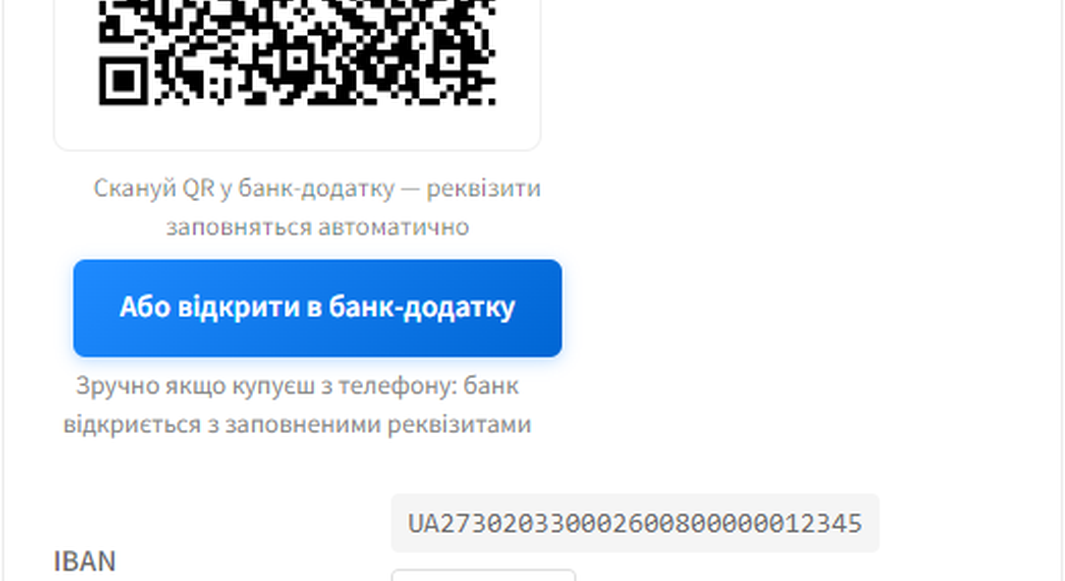
Instead of typing IBAN by hand, the buyer scans a QR code in their banking app — the IBAN, amount and payment reference are filled automatically. The store owner sees the transfer in their bank app and confirms the order in WooCommerce Orders.
Key features
- NBU v002 QR code recognised by Monobank, Privat24 and other Ukrainian banking apps
- “Open in Monobank” and “Open in Privat24” deep-link buttons
- Copy buttons for IBAN, amount and payment reference
- On-hold / invoice emails include the same requisites so customers can finish paying without coming back to Thank You
- HPOS-compatible (custom order tables)
- WooCommerce Blocks Checkout support
- Full Ukrainian translation included
How it works
- The buyer picks the “Pay to IBAN / card” method on checkout.
- On the Thank You page they see a QR code, deep-link buttons and the payment requisites.
- They scan the QR in their banking app — the transfer is pre-filled automatically.
- They confirm the transfer in the bank.
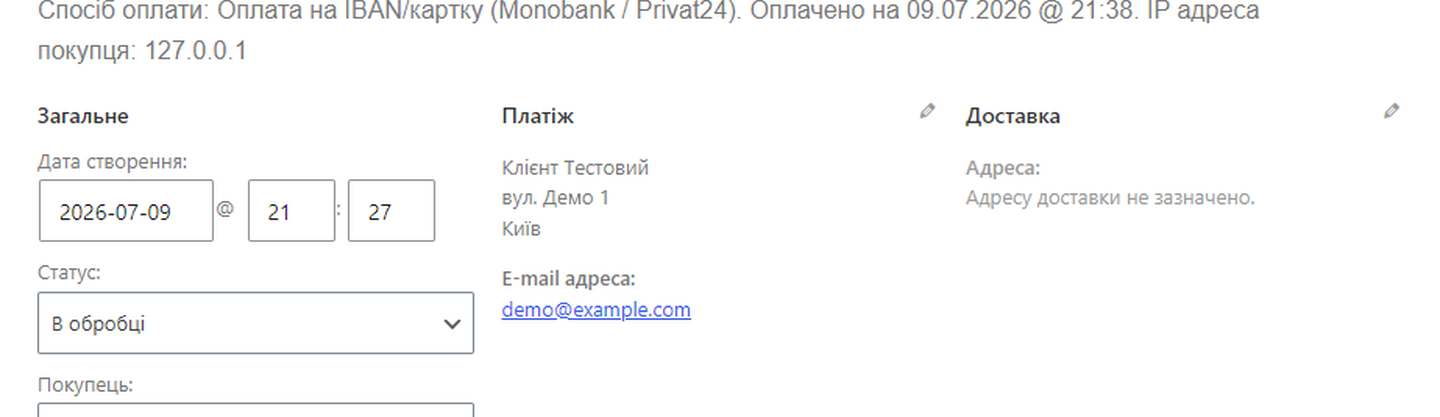
- When you see the credit in your bank app, you mark the order as Processing in WooCommerce Orders.
Step 5 can be automated with the separate “IBAN Smart Invoice — Pro” add-on (Monobank Personal API webhook + automatic matching by reference and amount). The Pro add-on is hosted by the author and is not part of this plugin.
Requirements
- WooCommerce 10.0+
- PHP 8.0+
- A valid IBAN (UA format)
External services
This plugin does not contact any external service from the server side. No HTTP requests are sent to third-party APIs from the plugin code: the buyer’s QR scan, deep-link tap and bank transfer all happen on the customer’s device, not on the merchant’s site.
What the plugin embeds (does not call):
- NBU Universal QR Link — the QR code rendered on the Thank You page encodes a URL of the form
https://bank.gov.ua/qr/<base64-payload>(NBU v002 standard, Resolution 97 from 2025-08-19). This URL is only painted into the QR image; the plugin never opens it. The customer’s banking app decodes the QR offline and acts on the payload locally.- Service operator: National Bank of Ukraine (bank.gov.ua), the QR is the official Ukrainian payment standard.
- Terms of use: https://bank.gov.ua/ua/legislation
- No data is sent to bank.gov.ua by the plugin.
- Monobank “send to jar” deep-link (optional, only if the merchant fills the jar URL in settings) — the “Open in Monobank” button on the Thank You page is a plain
<a href="https://send.monobank.ua/jar/...">link. When the customer taps it, their browser/Monobank app handles the navigation; the plugin does not fetch or post to send.monobank.ua.- Service operator: JSC “Universal Bank” (Monobank).
- Terms of service: https://www.monobank.ua/terms
- Privacy policy: https://www.monobank.ua/privacy
- No data is sent to send.monobank.ua by the plugin.
- Privat24 deep-link (optional, only if the merchant fills the card number in settings) — the “Open in Privat24” button uses the
next://.../https://link.privat24.ua/...scheme; same offline-redirect model as the Monobank button.- Service operator: JSC CB “PrivatBank” (Privat24).
- Terms of service: https://privatbank.ua/terms
- Privacy policy: https://privatbank.ua/personal-information
- No data is sent to link.privat24.ua by the plugin.
Server-side payment auto-detection via the Monobank Personal API (the only external HTTP call related to this feature) lives in the separate paid add-on “IBAN Smart Invoice — Pro” hosted off WordPress.org. The Pro add-on documents that integration in its own readme.
Screenshots
Installation
- Upload the plugin archive to
wp-content/plugins/. - Activate it from the Plugins screen.
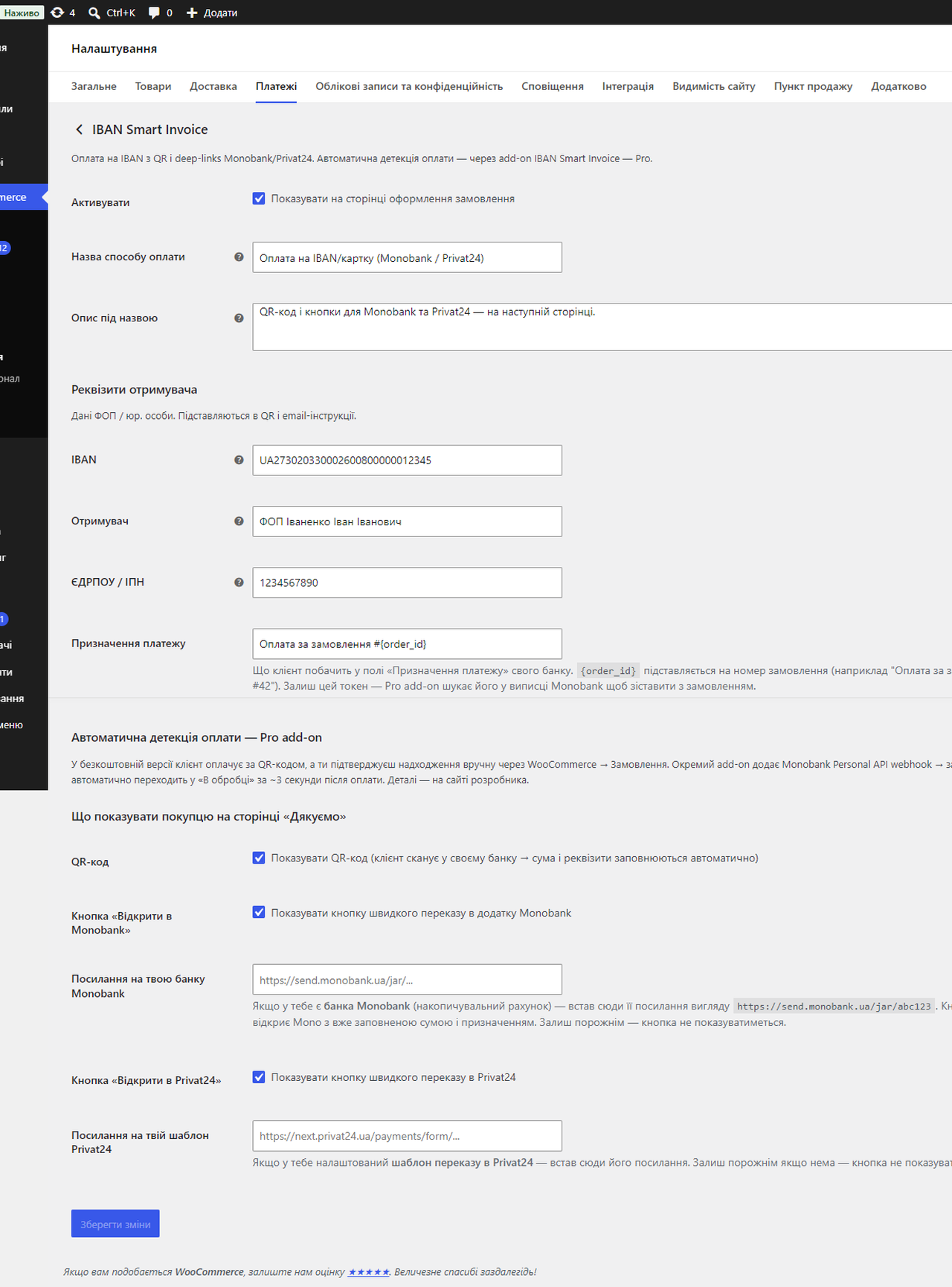
- Configure under WooCommerce Settings Payments IBAN Smart Invoice.
- Fill in IBAN, beneficiary name, and the reference template.
FAQ
-
Does the customer need the Monobank app to pay?
-
No. The QR code on the Thank You page is the official NBU v002 format and is recognised by Monobank, Privat24, PUMB, Sense, Raiffeisen, Oschad and 20+ other Ukrainian banking apps. The “Open in Monobank” / “Open in Privat24” buttons are convenience shortcuts for users of those two apps.
-
Do I need a Monobank account on the receiving side?
-
No. Any Ukrainian IBAN works. The Monobank “send to jar” link is only used to power the optional “Open in Monobank” button — if you don’t have a jar, leave the field empty and the button is hidden.
-
How do I confirm that an order has been paid?
-
Open WooCommerce Orders, find the order in “On hold”, check that the credit landed on your bank account, and switch the status to “Processing” or “Completed”. The order’s reference (e.g. “Order #42”) is the same string the customer typed in their bank, so they’re easy to match.
-
Can payment confirmation be automated?
-
Yes, via the separate “IBAN Smart Invoice — Pro” add-on. It consumes the Monobank Personal API webhook, matches incoming credits against pending orders by reference and amount, and flips the order to Processing automatically. The add-on is sold by the plugin author and is not part of this .org submission.
-
What format is the QR code?
-
NBU v002 (Resolution 97, 2025-08-19), the standard recognised by NBU as the universal Ukrainian payment QR. The payload uses Universal Link
https://bank.gov.ua/qr/...so a single QR opens whichever banking app the customer has installed.
Reviews
ഈ പ്ലഗിന് റിവ്യൂകൾ ഒന്നുമില്ല.
Contributors & Developers
“CatCode IBAN Smart Invoice” is open source software. The following people have contributed to this plugin.
Contributors
Translate “CatCode IBAN Smart Invoice” into your language.
Interested in development?
Browse the code, check out the SVN repository, or subscribe to the development log by RSS.
Changelog
0.2.2
- Complete Ukrainian translation bundled (114 strings, uk locale .po/.mo in /languages). No code changes.
0.2.1
- Renamed the plugin to match its assigned directory slug
catcode-iban-smart-invoice: updated the display name to “CatCode IBAN Smart Invoice”, the text domain tocatcode-iban-smart-invoice, the main plugin file and the bundled language files, and moved every constant/option/hook/meta prefix tocatcode_iban_smart_invoice_/CATCODE_IBAN_SMART_INVOICE_. Classes keep theCatCode\IbanSmartInvoicenamespace.
0.2.0
- Plugin review compliance: consolidated all procedural identifiers onto the plugin’s own
iban_smart_invoice_prefix. Theisipay_prefix used for option keys, action/filter hook names, the order meta key, the WooCommerce Blocks script handle and the Thank You JS global has been renamed. This is a private-API change for theme/extension authors — recompile after upgrade. Classes keep theCatCode\IbanSmartInvoicenamespace; public BEM CSS class names (.isi-pay__*) are unchanged. - Stopped writing back to WooCommerce’s own
woocommerce_{id}_settingsoption when an invalid IBAN is entered — the last known-good IBAN is now kept only in the plugin’s own settings, leaving WooCommerce core’s option store untouched.
0.1.9
- Removed an internal development note (
_dev/) that was accidentally included in the distributed package. No code changes.
0.1.8
- Fixed an invalid Privacy Policy URL in the External services section (PrivatBank link updated to a working page).
- Corrected the Contributors username to
catcodestudio. - No functional code changes since 0.1.6.
0.1.6
- Compliance pass for the WordPress.org plugin review queue:
- Renamed the three-letter
isi_prefix to the four-plus-letterisipay_across every option key, action / filter hook, AJAX handler, asset handle and JS global. This is a private-API change for theme / extension authors — recompile after upgrade. Public BEM CSS class names (.isi-pay__*) are unchanged. - Pinned
chillerlan/php-qrcodeto the latest 6.x release incomposer.lock(the 0.1.4 build still shipped 5.x invendor/despite the changelog claim). - Added an explicit
== External services ==section to the readme documenting that the free plugin makes no outbound HTTP calls, plus the NBU / Monobank / Privat24 deep-link payload destinations. - Extended
.distignoreso vendorLICENSE-ASL-2.0,NOTICE,CHANGELOG.mdand other auxiliary files no longer ship inside the production ZIP.
- Renamed the three-letter
0.1.4
- Free / Pro split: automatic payment detection (Monobank Personal API webhook + Order Matcher + admin IBAN Payments journal + Thank-You polling) has been moved to a separate “IBAN Smart Invoice — Pro” add-on hosted off the .org repo. The free version stays fully functional — QR + IBAN + deep-link buttons + email instructions + manual confirmation in WooCommerce Orders.
- Upgraded
chillerlan/php-qrcodeto ^6.0 (was ^5.0). Output API switched to the newoutputInterfacestyle (QRGdImagePNG::class); no visible change for store owners. - Build hygiene:
.distignoreextended to drop vendor LICENSE-ASL/NOTICE duplicates, CHANGELOG, examples, tests and other artefacts so the published archive contains plugin code only.
0.1.3
- Webhook now responds to Monobank within the 5-second SLA by queuing the matcher as an asynchronous job (Action Scheduler when available, WP-Cron fallback). Order detection and CRUD no longer run inside the HTTP request from Mono, so a slow database or third-party plugin can no longer make Mono disable the webhook.
- Added a
queuedstatus for incoming payments to make the async pipeline visible in the IBAN Payments admin journal.
0.1.2
- Audit hardening pass against WC 10.7 + Plugin Check 2026 standards: documented webhook auth model (
X-ISI-Tokenheader alongside?token=), explicitpermission_callbackrationale on REST routes,wc-payment-method-isiBlocks handle naming aligned with core convention, version constant synced with plugin header.
0.1.1
- Switch QR payload to official NBU v002 standard (Resolution 97, 2025-08-19). Scans now work across Monobank, Privat24, PUMB, Sense, Raiffeisen, Oschad and 20+ other Ukrainian banks via Universal Link
https://bank.gov.ua/qr/. - Unified plugin settings into a single WooCommerce gateway editor (no more separate settings page).
- WooCommerce Cart/Checkout Blocks support (
AbstractPaymentMethodType). - Partial payments: customer-facing notice + dynamic QR with remaining amount; matcher accumulates multiple partial transfers into one order.
- Overpayments: customer-facing thank-you note + admin flag for manual refund.
- Ukrainian admin journal status labels with colour coding.
Requires Plugins: woocommerceheader.- Reduced polling interval to 10 seconds.
0.1.0
- First release: Gateway, Settings, Thank You UX, Webhook, Order Matcher, Admin journal.