
Description
New in 3.0 — a modern React dashboard, a 5-step setup wizard, and an audit trail for every consent decision. Formerly known as Cookie Notice.
Compliance by Hu-manity.co gives your WordPress site a polished cookie banner that’s compliant out of the box — and a connected Consent Management Platform (CMP) when you need automatic script blocking, audit-ready consent records, and Google/Facebook/Microsoft Consent Mode.
Designed for site owners and agencies who want compliance without the legalese: install, run the wizard, pick your laws, go live. The free banner works standalone; connecting a free Cookie Compliance account unlocks autoblocking and audit trail in two clicks — no credit card.
Why teams pick Compliance
Set up in under 5 minutes
A guided wizard walks you through banner design, applicable laws, and consent modes. Six banner presets, 5-position placement (top, bottom, floating L/R/center), and live preview — no code, no jargon.
Block cookies before consent
When connected to Cookie Compliance, non-essential scripts are paused automatically until your visitor decides — exactly as GDPR requires. Works alongside WP Rocket, LiteSpeed Cache, Autoptimize, NitroPack, Cloudflare Rocket Loader, Jetpack Boost, and SG Optimizer.
Equal accept, reject, and customize buttons
Three equal choices in the first layer of the banner. No dark patterns, no pre-ticked boxes, no buried “reject all.” Complies with the equal-choice principle under GDPR and similar laws.
See every consent decision
The Audit Trail tab pulls live consent records from the platform — searchable, with timestamps and consent levels — and exports to CSV for proof of consent.
Google, Facebook & Microsoft Consent Mode
Configure Google Consent Mode v2, Facebook, and Microsoft consent toggles directly from the plugin. Your ad and analytics stack keeps working while respecting visitor choices.
Plays nicely with WooCommerce, Site Kit & Smash Balloon
Compliance registers as a WP Consent API CMP — so when you run WooCommerce, Google Site Kit, Burst Statistics, WP Statistics, AddToAny, Pixel Manager for WooCommerce, or AFL UTM Tracker, they pick up your visitor’s consent state automatically. No per-plugin toggles, no “trust the banner” workarounds. Smash Balloon Instagram and Twitter feeds are recognised natively by the banner; Facebook and YouTube feeds work via the optional legacy-cookie bridge.
What you get
Free (Banner Only — plugin alone):
- Customizable banner with consent on click, scroll, or close
- Multiple cookie expiry options
- Privacy Policy page sync
- WPML and Polylang compatible
- SEO friendly
Free (Connected — plugin + free Compliance account):
- Everything above, plus:
- Automatic script blocking (autoblocking)
- Cookie purpose categories with per-category consent
- Audit Trail with CSV export
- Google / Facebook / Microsoft Consent Mode v2
- GPC (Global Privacy Control) support — passive, silent, or full-banner modes
- WP Consent API integration (WooCommerce, Site Kit, Burst, WP Statistics, AddToAny)
- Smash Balloon Instagram + Twitter native compatibility
- Conditional display rules (pages, post types, geo)
- Live configuration sync with the Cookie Compliance web app
- Excluded script handles for fine-grained control
Professional (paid):
- Everything in Free Connected, plus:
- Multidomain management under one account
- Customizable Privacy Paper and Privacy Contact
- Consent duration selector for visitors
- Multilingual auto-translation with custom overrides
- Consent analytics dashboard with trust score
- Higher monthly visitor allowances
Covers GDPR, ePrivacy, PECR, CCPA/CPRA, VCDPA, Colorado Privacy Act, LGPD, PIPEDA, PDPB and 100+ other jurisdictions — with formatting guidance from EDPS, ICO, CNIL, GPDP, BfDI, AEPD, and noyb.
Privacy
Compliance by Hu-manity.co is a CMP client. Depending on how you use it, the plugin may send data to Hu-manity.co services on your behalf.
Banner Only mode — the plugin operates entirely on your WordPress site and does not initiate calls to Hu-manity.co.
Connected mode (Free or Professional) — the plugin connects to Hu-manity.co’s platform (*-api.hu-manity.co) over HTTPS to handle account sign-in, banner configuration, and consent analytics. Data sent includes account email, site URL/title/language, application credentials, plugin version, admin UI mode (React or Legacy), and — for Professional signups — a one-time Braintree payment token (raw card data is tokenized in the browser and never reaches Hu-manity.co’s servers).
The banner served to visitors is loaded from cdn.hu-manity.co/hu-banner.min.js and communicates directly with Hu-manity.co to record consent decisions. Because requests originate in the visitor’s browser, the visitor’s IP is visible to Hu-manity.co as part of standard HTTPS handling.
Local state — the plugin stores operational state in WordPress options/transients, admin localStorage (setup-wizard flags), and a 5-minute hu-form visitor cookie for form consent. None of this is transmitted to Hu-manity.co.
Data the plugin does not send — visitor IPs as data fields, page URLs, page content, or WordPress post/page/user content. The only third party invoked from the plugin is Braintree, for Professional plan signups.
Storage location — account and consent data are processed in the EU (AWS Ireland). Marketing websites (hu-manity.co, cookie-compliance.co) are hosted separately in the US.
Your rights — deactivate the plugin to stop sends, export consent records as CSV, delete your account (cancels subscriptions and removes platform data), or request visitor-data erasure under GDPR Article 17 / CCPA Delete via the privacy contact page (processed within 30 days). Visitors can adjust their consent at any time via the banner.
Service providers — Hu-manity.co (primary; terms · privacy contact) and Braintree (PayPal — plugin-initiated payments only). When you manage your subscription from the web app, additional payment gateways may apply.
Screenshots
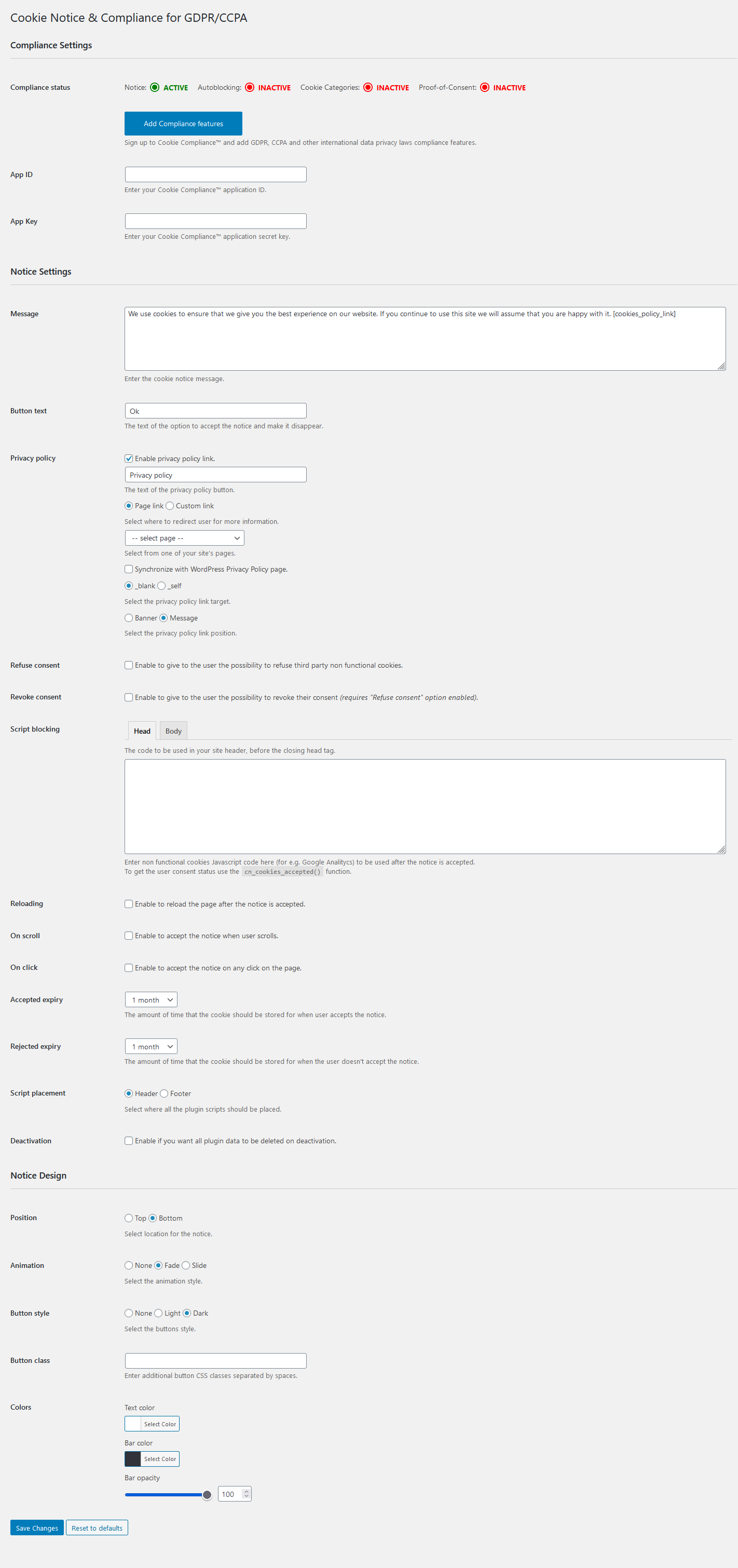
Compliance settings — Banner Only mode 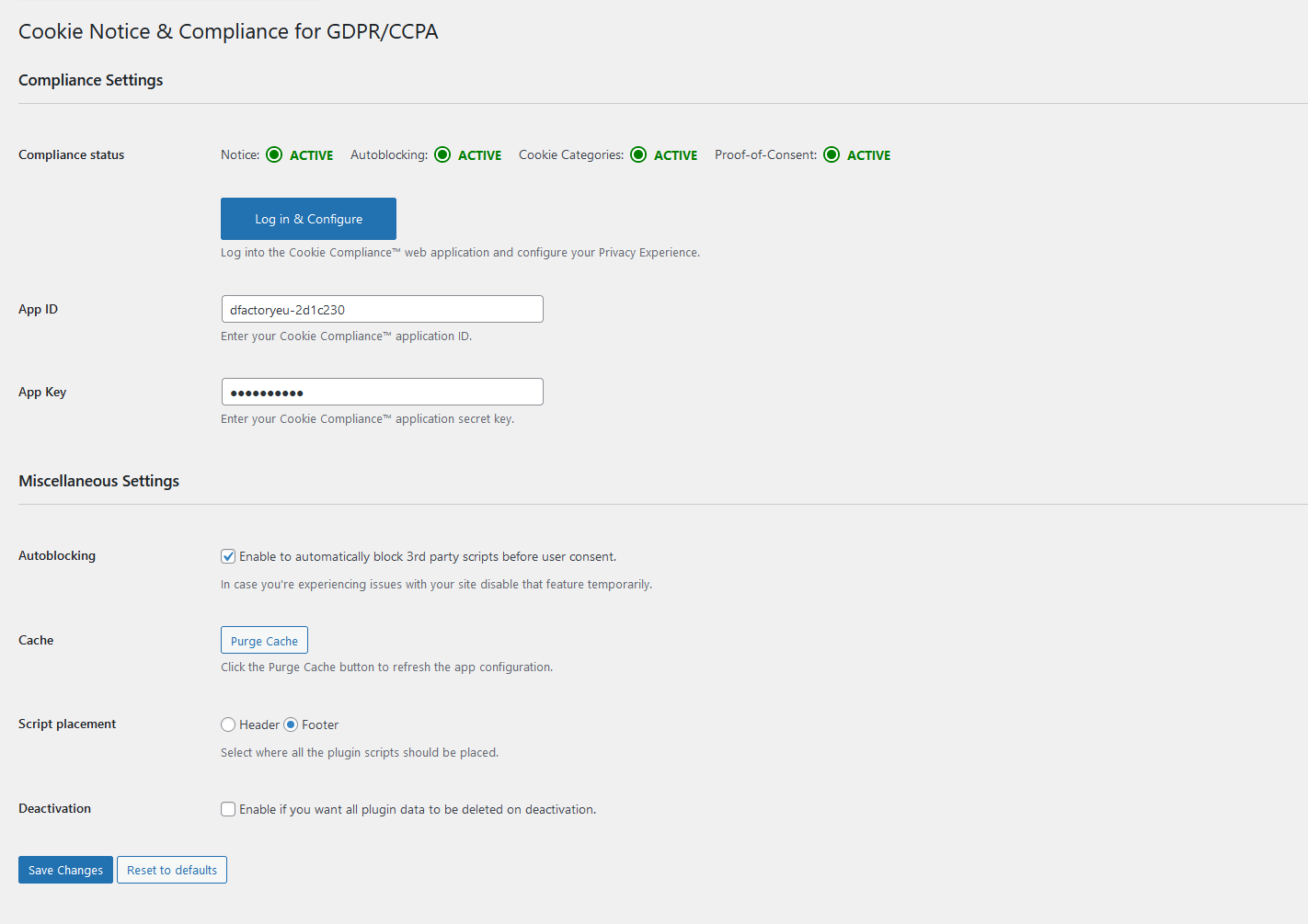
Compliance settings — Connected to Cookie Compliance 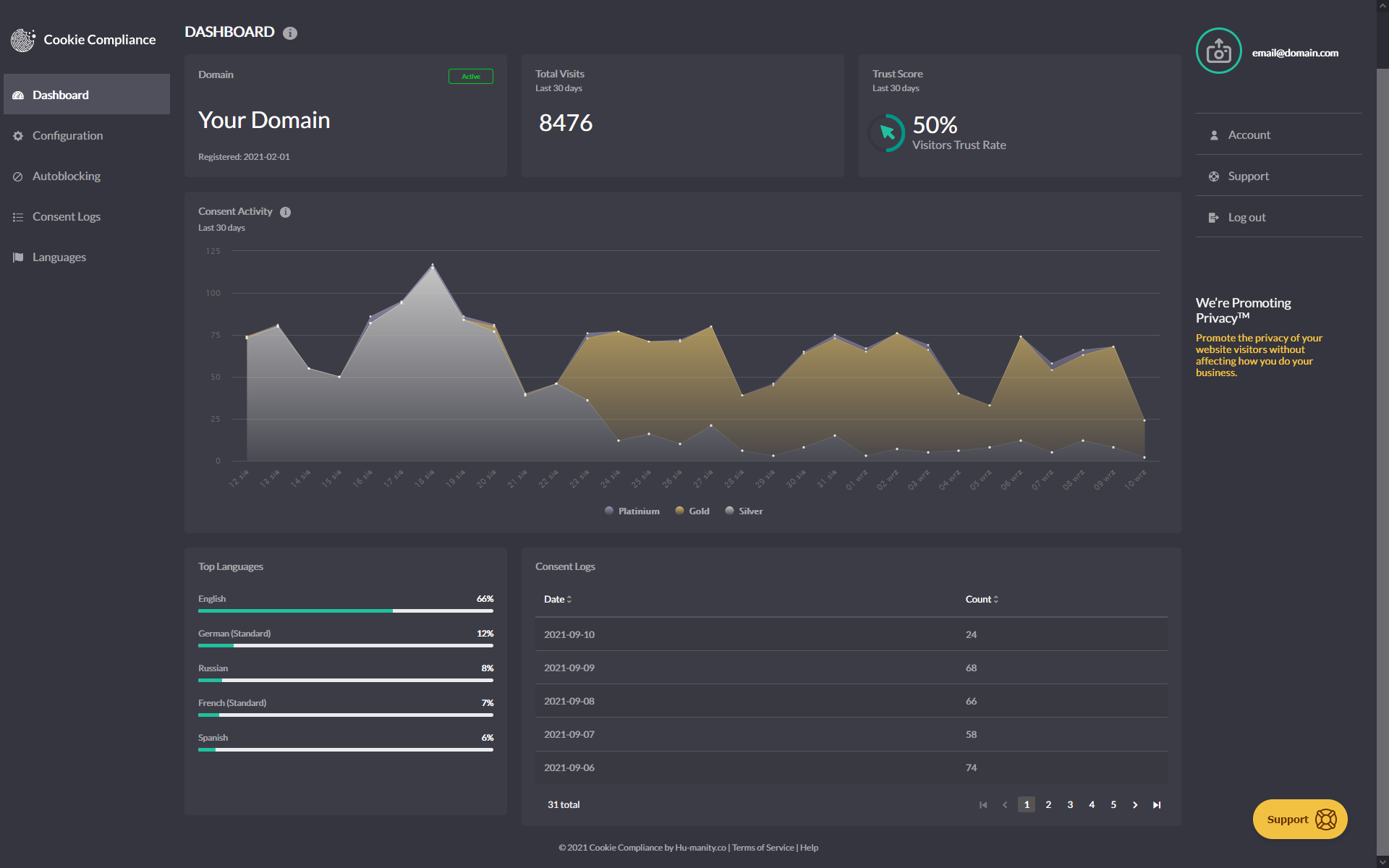
Cookie Compliance dashboard overview 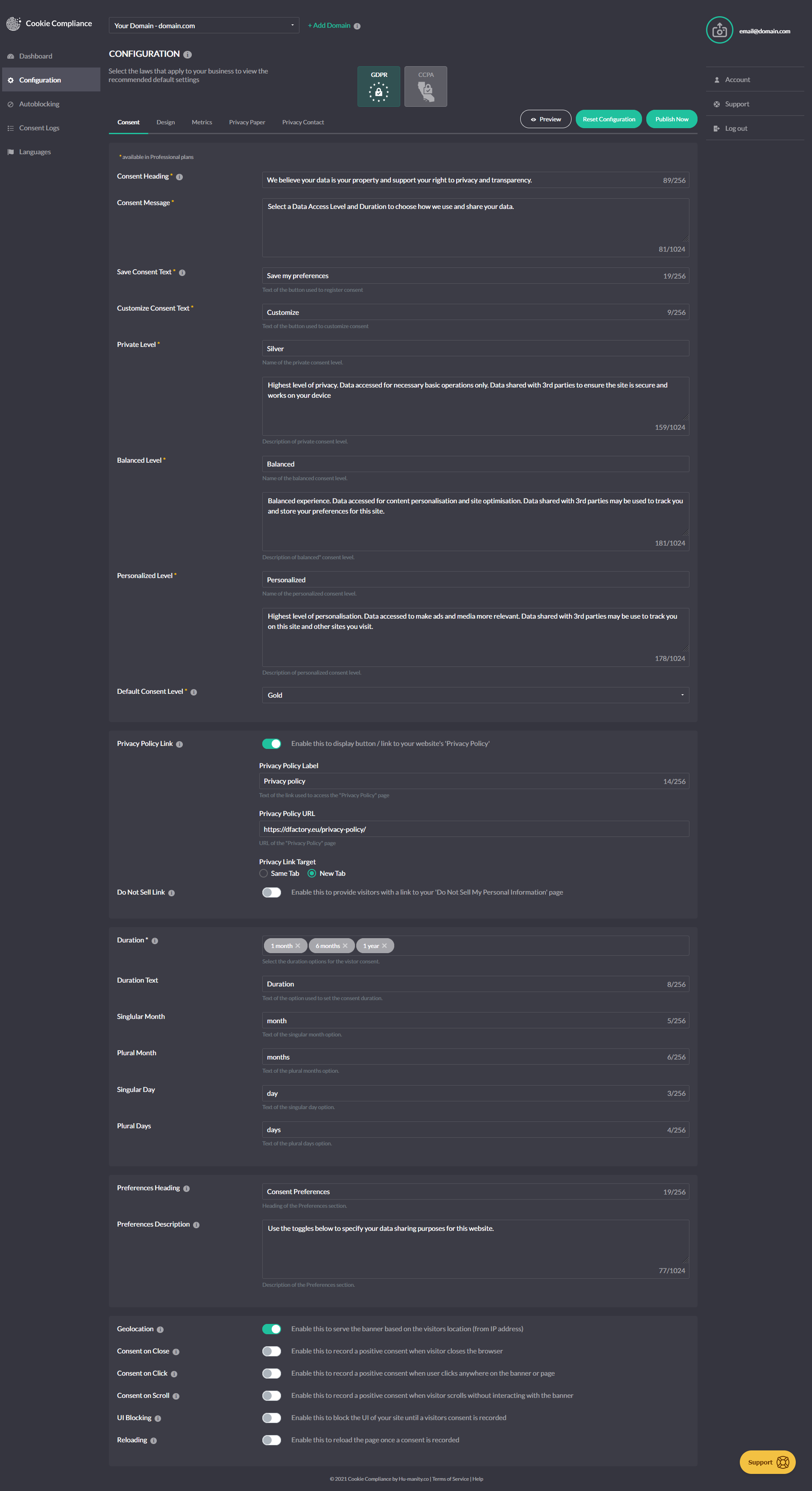
Cookie Compliance design settings
Installation
- Install Compliance by Hu-manity.co from the WordPress.org plugin directory, or upload the files to your server.
- Activate the plugin through the Plugins menu in WordPress.
- Open Compliance in the admin sidebar — the setup wizard launches automatically on first run.
- Pick a banner template, select your laws, and choose Banner Only or connect a free Cookie Compliance account for autoblocking and audit trail.
- Sign in to the Cookie Compliance web app any time to customize advanced settings.
FAQ
-
Is the plugin free?
-
Yes. Compliance by Hu-manity.co is free WordPress software. Cookie Compliance — the connected platform that adds autoblocking, audit trail, and Consent Mode — has both a Free plan (no credit card) and paid Professional plans with higher visitor allowances and additional features.
-
How long does setup take?
-
Most sites are live in under five minutes. The first-run wizard handles banner template, applicable laws, and Consent Mode setup; if you connect a Cookie Compliance account, autoblocking turns on automatically.
-
Will this make my site fully GDPR / CCPA compliant?
-
Banner Only is a cookie notice — it informs visitors but does not block scripts or store consent records. For technical compliance (block-before-consent, purpose categories, proof-of-consent records), connect a Cookie Compliance account; the Free plan is enough for most small sites.
-
Will it work with my caching or optimizer plugin?
-
Yes. The plugin sets the standard exclusion attributes for WP Rocket, LiteSpeed Cache, Autoptimize, NitroPack, Jetpack Boost, Cloudflare Rocket Loader, SG Optimizer, W3 Total Cache, and Swift Performance so the banner and admin pages don’t get delayed or stripped. Stable script IDs (
hu-banner-options,hu-banner-js) are provided for tools that need a manual exclusion keyword. -
Does it integrate with WooCommerce, Site Kit, or Smash Balloon?
-
Yes. Compliance registers as a WP Consent API CMP, which means WooCommerce, Google Site Kit, Burst Statistics, WP Statistics, AddToAny, Pixel Manager for WooCommerce, and AFL UTM Tracker automatically read your visitor’s consent state — no per-plugin configuration. For Smash Balloon, Instagram and Twitter feeds are recognised natively; Facebook and YouTube feeds need the optional legacy-cookie bridge enabled in the plugin’s compatibility settings.
-
What happens if I deactivate the plugin?
-
The banner stops loading and the plugin stops sending data to Hu-manity.co. Your existing consent records in the Cookie Compliance web app are preserved and can be exported or deleted from there.
-
Does the plugin support multisite?
-
Yes — including network-wide override of blocking data, custom patterns, and cache-purge transients.
-
Yes, with Facebook and Microsoft consent modes also configurable from the plugin’s Consent Modes panel.
-
Where is my data stored?
-
Account and consent records are processed in the European Union (AWS Ireland region). See the Privacy section below for full data-flow detail.
Reviews


Contributors & Developers
“Compliance by Hu-manity.co” is open source software. The following people have contributed to this plugin.
Contributors
“Compliance by Hu-manity.co” has been translated into 31 locales. Thank you to the translators for their contributions.
Translate “Compliance by Hu-manity.co” into your language.
Interested in development?
Browse the code, check out the SVN repository, or subscribe to the development log by RSS.
Changelog
3.0.6
- Tweak: The Consent Security Policy (CSP) warning on the Compliance settings page now clears immediately once a valid .htaccess is detected — reloading the page, clicking Purge Cache, or clicking Pull Configuration each re-evaluate in real time.
3.0.5
- Fix: Disabling Autoblocking via the legacy settings form on multisite sites now saves correctly.
3.0.4
- Fix: The Compliance settings page no longer breaks on sites where Cloudflare Rocket Loader or a caching/optimizer plugin (WP Rocket, LiteSpeed Cache, Autoptimize, NitroPack, SG Speed Optimizer, or Jetpack Boost) is configured to process WP admin scripts. The plugin’s admin bundle now signals these tools to skip it, extending the same banner-script protection added in 3.0.3.
- Fix: If the Compliance settings page fails to load, you now see a “Loading Compliance dashboard…” message that reveals troubleshooting steps (caching plugin, browser extension, incognito mode) and a link to support — replacing the silent white screen some users hit when a CDN, optimizer, or browser extension blocked the admin bundle.
For the full version history including 3.0.0 rebrand notes and prior 2.x releases, see the changelog on GitHub.