

Description
Collect visitors’ feedback and suggestions directly on your website pages. Make bug reporting, spell checking, and grammar reviews easy.
Highlight Ask Resolve
Spotfix is a lightweight on-page widget that makes it easy for visitors, editors, writers, and team members to submit feedback directly in the context of your website’s content. It’s especially useful for website feedback, bug reporting, spell checking, and fixing outdated or unclear information, because corrections are tied to the exact place where the issue appears.
A visitor simply highlights a piece of text or an element on the page. When they do, a compact widget appears in the bottom-right corner, allowing them to submit a Spot — a short request, correction suggestion, or question attached to the precise content location. No need to describe where the problem is — the widget knows automatically.
Submitting a Spot takes less than 10 seconds. The widget automatically fills the title using the highlighted text or an image’s Title/Alt attribute. The visitor adds a short message, optionally includes their name and email, while the page URL and element reference are captured automatically.
Each Spot becomes a task in doBoard, where your team can track progress, assign responsibility, add labels, and set due dates. The referenced element on the page is highlighted, making content review and corrections extremely straightforward. This greatly reduces miscommunication — especially compared to email feedback or team chat screenshots.
You can reply to Spots from doBoard or directly within the widget. Conversations appear as a chat thread with visible progress and status updates. If the visitor shared an email, they’ll be notified when you reply.
When collapsed, the Spotfix icon shows how many Spots exist on the current page and across the site. One click reveals the list and instantly highlights all linked elements.
Why Does Spotfix Work?
Spotfix turns proofreading and feedback into structured, actionable improvements. No more chasing context. No more messy email chains. Just: Highlight Ask Resolve.
External services
This plugin connects to the following APIs — api.doboard.com, api.cleantalk.org, and spotfix.doboard.com — to collect data about open spots and comments for the website and the currently viewed page. This data is displayed in the widget and helps visitors communicate about existing spots and submit new ones. The plugin sends user-generated content, as well as an email address and password (if provided), to the API. It uses JavaScript hosted on spotfix.doboard.com to display the widget to website visitors. This service is provided by CleanTalk Inc, Privacy Policy.
External services
This plugin connects to the following APIs — api.doboard.com, api.cleantalk.org, and spotfix.doboard.com — to collect data about open spots and comments for the website and the currently viewed page. This data is displayed in the widget and helps visitors communicate about existing spots and submit new ones. The plugin sends user-generated content, as well as an email address and password (if provided), to the API. It uses JavaScript hosted on spotfix.doboard.com to display the widget to website visitors. This service is provided by CleanTalk Inc, Privacy Policy.
Screenshots
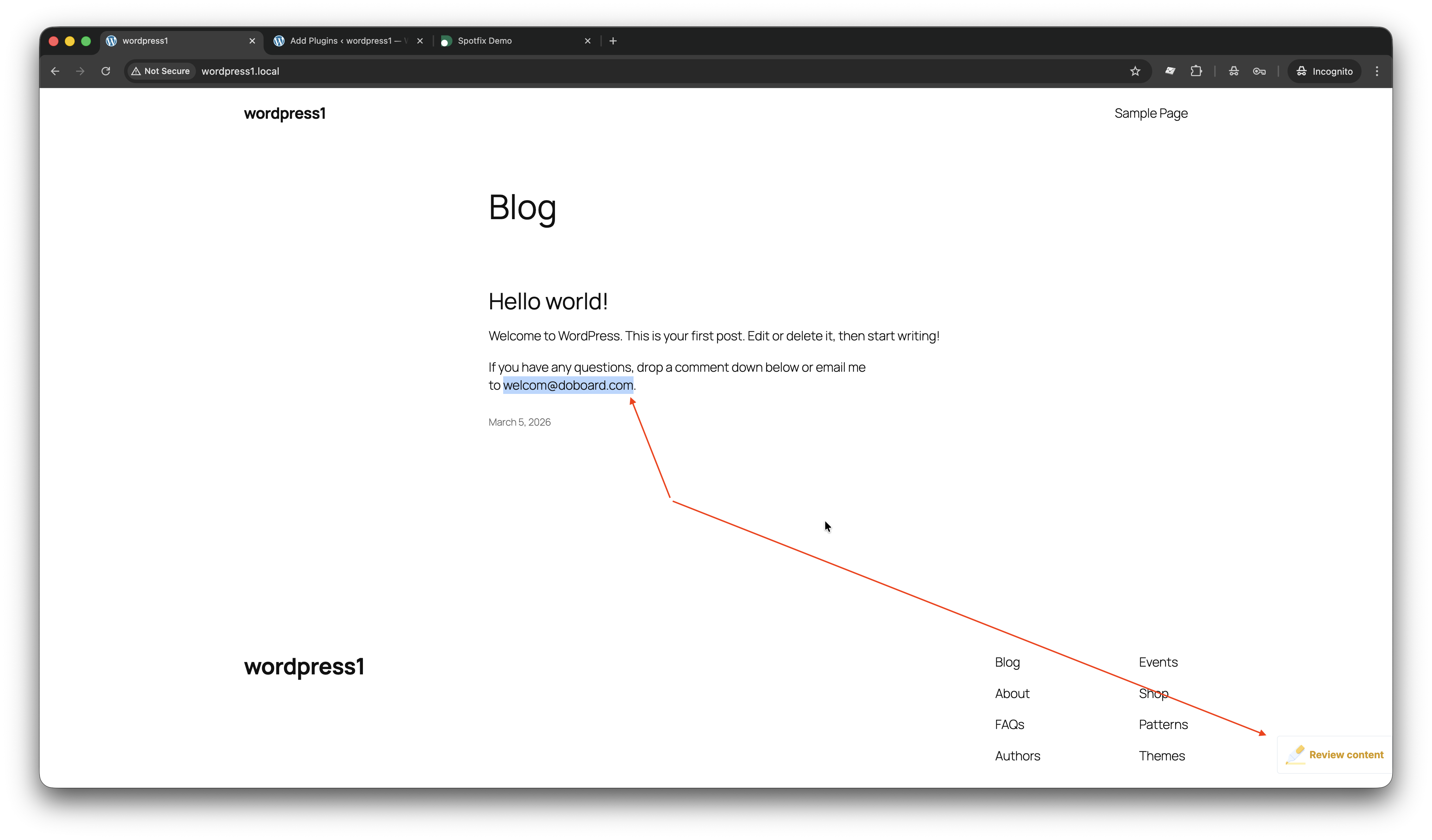
A visitor marks a typo and sees the option to review the content.
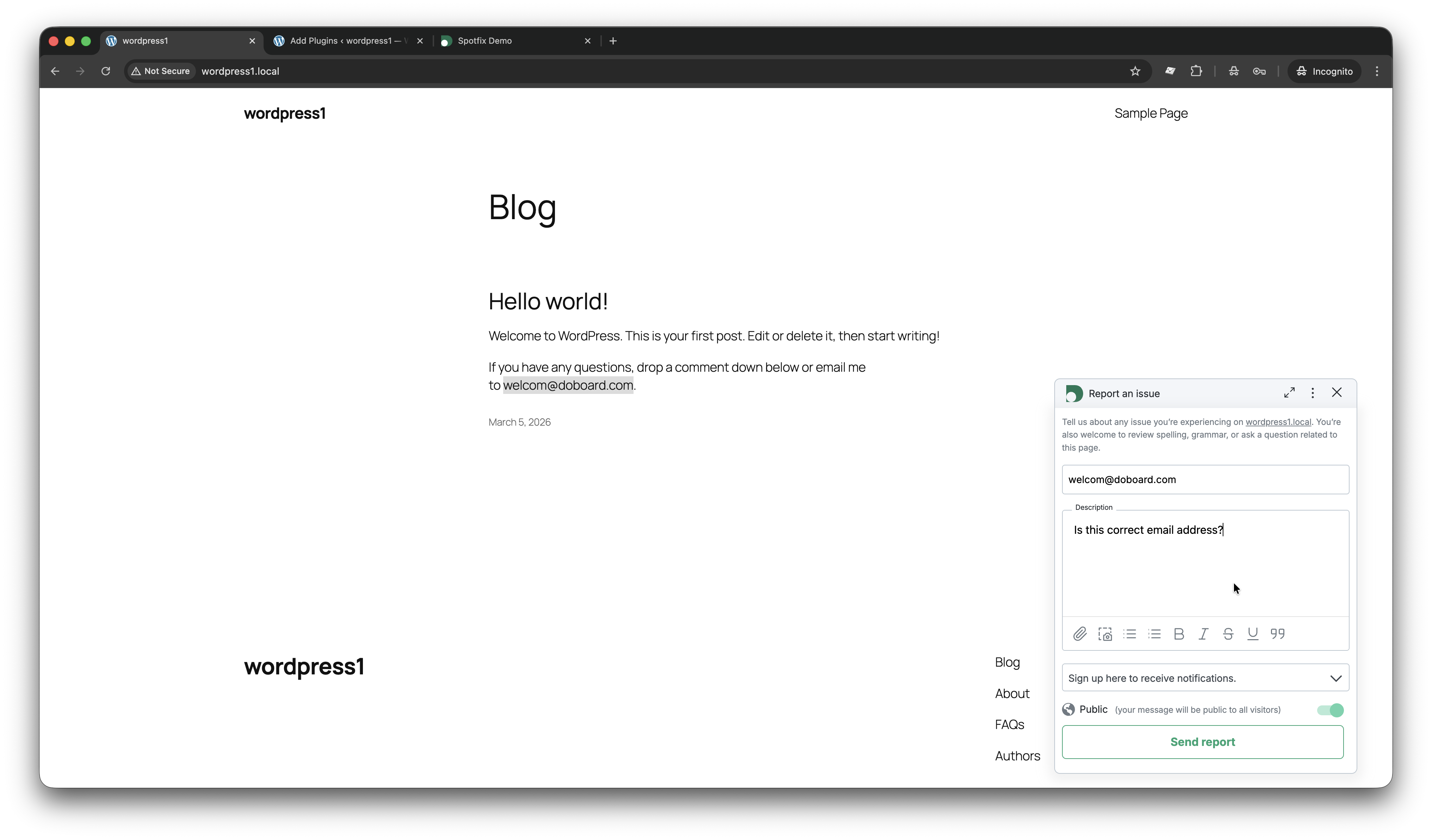
The visitor submits a report about the typo.
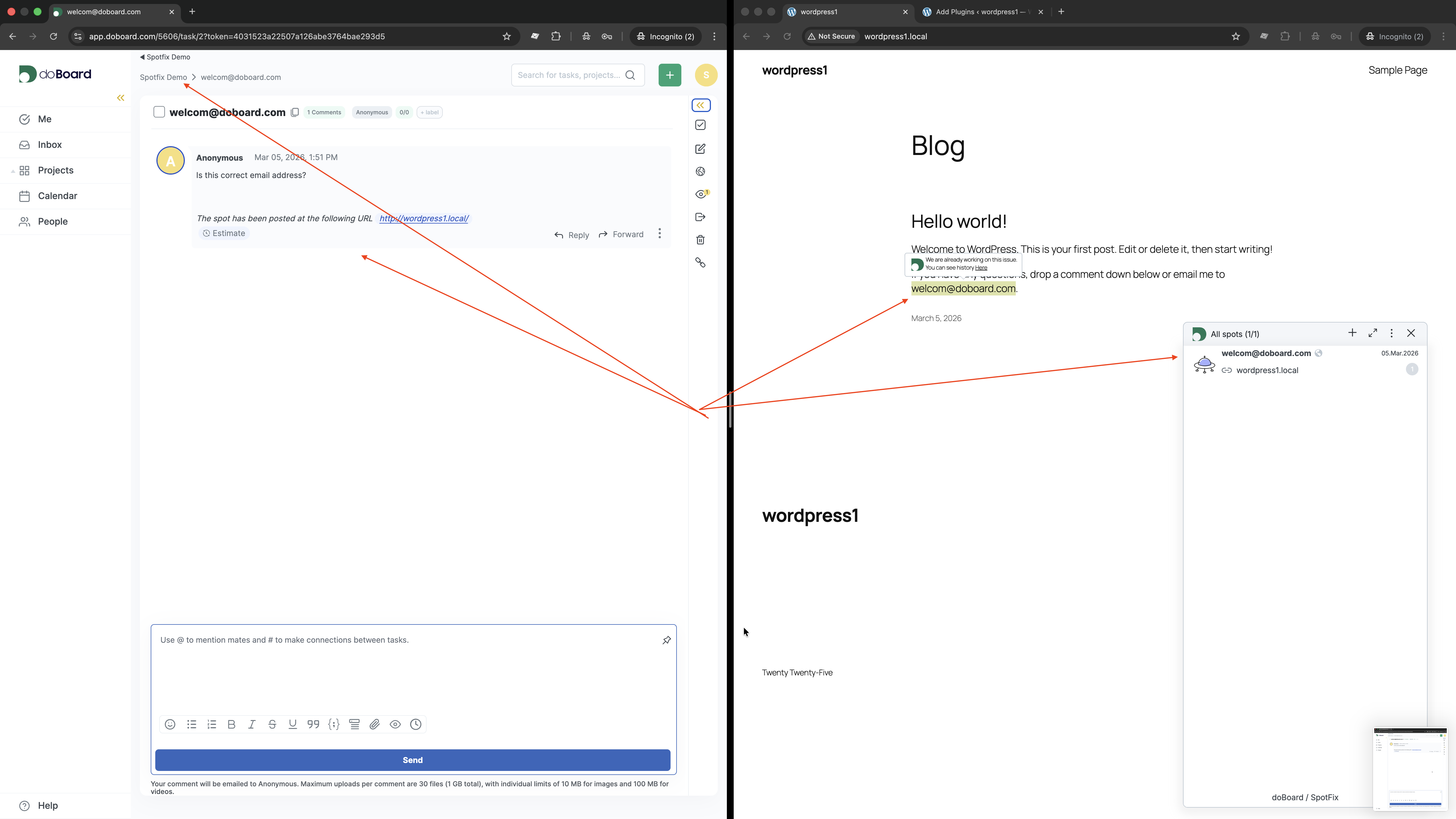
The website owner or studio sees the report (spot) in the task management tool (doboard.com).
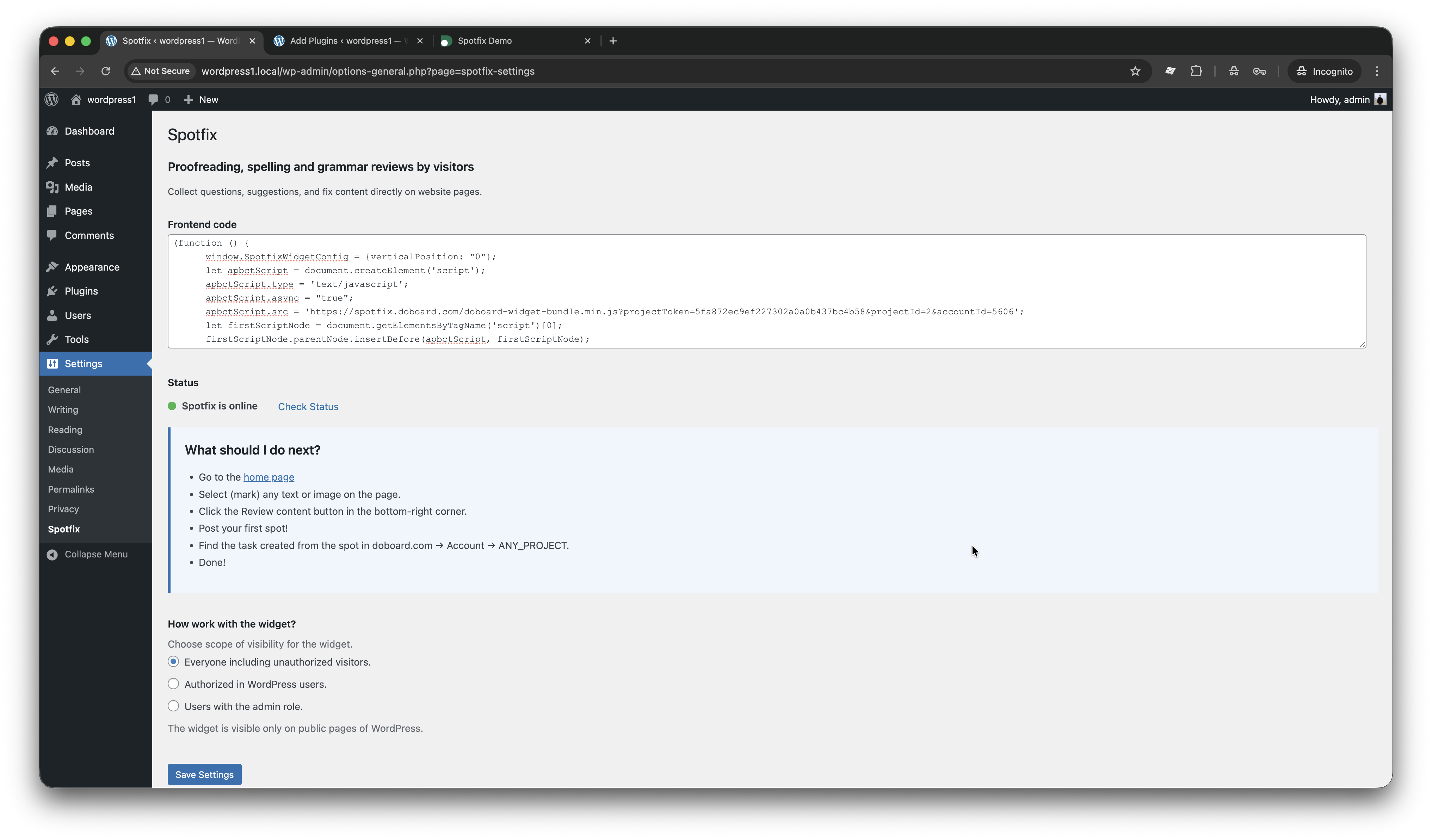
Plugin settings are ready to go.
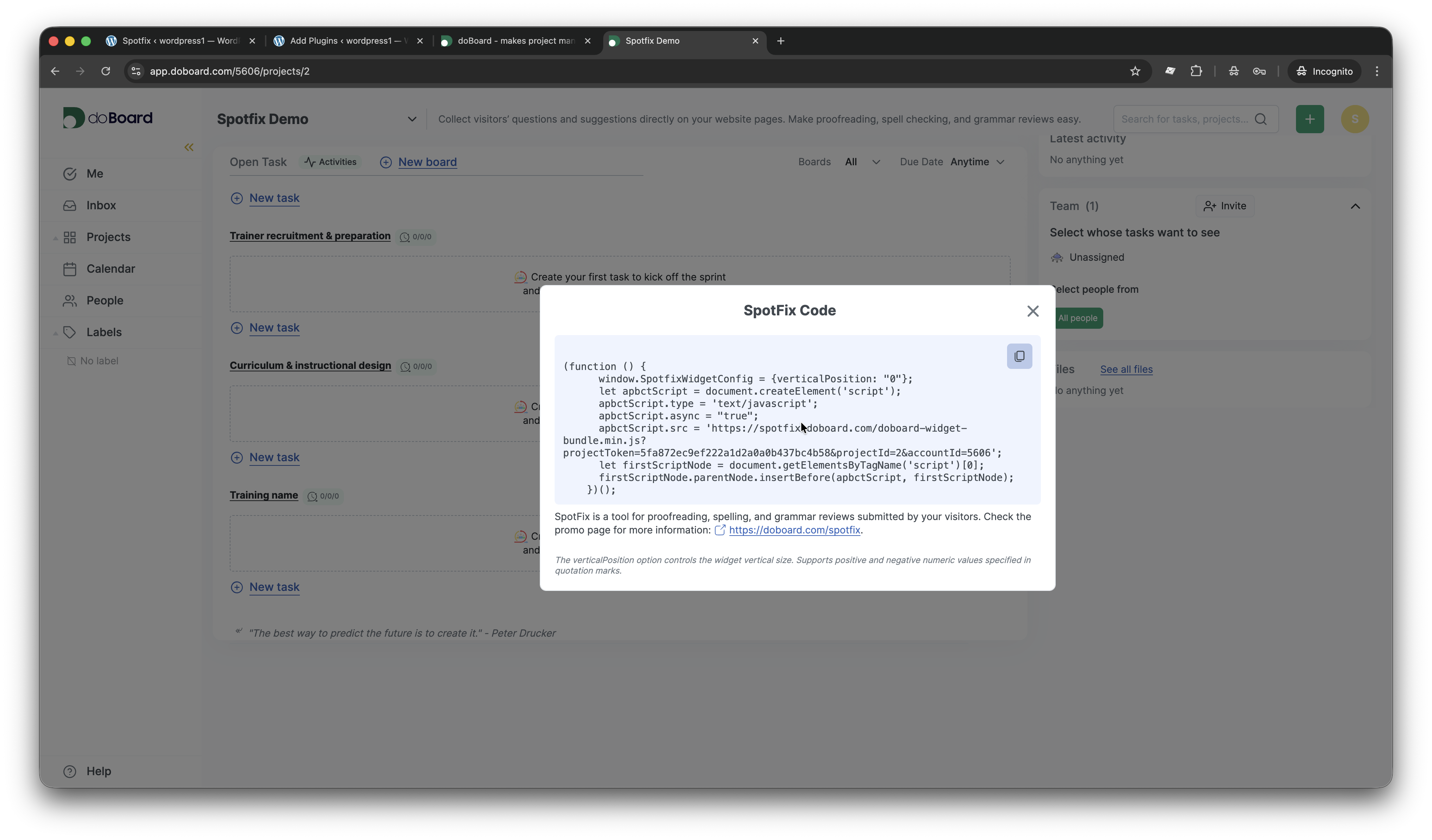
JavaScript code to activate widget on a website.
Installation
- Upload the plugin files to the
/wp-content/plugins/spotfix-content-reviewdirectory, or install the plugin through the WordPress plugins screen directly. - Activate the plugin through the ‘Plugins’ screen in WordPress.
- Go to Settings > Spotfix to configure the plugin.
What should I do next?
- Go to doboard.com Account ANY_PROJECT Settings Spotfix. Don’t have a doBoard account yet? Signup here:doboard.com/signup
- Copy the code and paste it into the area above.
- Click Save settings.
- You should see the status “Spotfix is online.” Congratulations!
- Go to your home page.
- Select (mark) any text or image on the page.
- Click the Review content button in the bottom-right corner.
- Post your first spot!
- Find the task created from the spot in doboard.com Account ANY_PROJECT.
Done!
FAQ
-
Do I need a doBoard account?
-
Yes, to run the widget, you need a doBoard account. doBoard is the task management system that serves as the backend for Spotfix.
-
Where can I get the Spotfix code?
-
Instructions to obtain the code are available at doboard.com/spotfix#doboard_settings.
-
Who can see the widget?
-
You can configure the widget to be visible to:
- Everyone including unauthorized visitors
- Authorized WordPress users only
- Users with the admin role only
The widget is visible only on public pages of WordPress.
Reviews
ഈ പ്ലഗിന് റിവ്യൂകൾ ഒന്നുമില്ല.
Contributors & Developers
“Bug reporting tool & Website feedback. Spotfix” is open source software. The following people have contributed to this plugin.
Contributors


Translate “Bug reporting tool & Website feedback. Spotfix” into your language.
Interested in development?
Browse the code, check out the SVN repository, or subscribe to the development log by RSS.
Changelog
1.0.4
- New. Code. Interaction with the Cleantalk and Doboard APIs for registration, authorization, and project creation in Doboard
1.0.0
- Initial release
- Settings page with code configuration
- Status checking functionality
- Visibility controls for widget display
- Integration with doBoard Spotfix service