
Description
MediaPrune is a media cleaner and unused image remover for WordPress. It finds the images, videos, PDFs and other files in your media library that nothing on your site uses, so you can delete them and free up disk space without breaking any pages.
Most media libraries fill up over time with unused images: old uploads, replaced product photos, test files and leftovers from deleted posts. Each upload also creates several resized copies, so one forgotten image can take up a lot of space. MediaPrune finds these files, shows you what can go, and lets you remove them in a few clicks.
Why MediaPrune
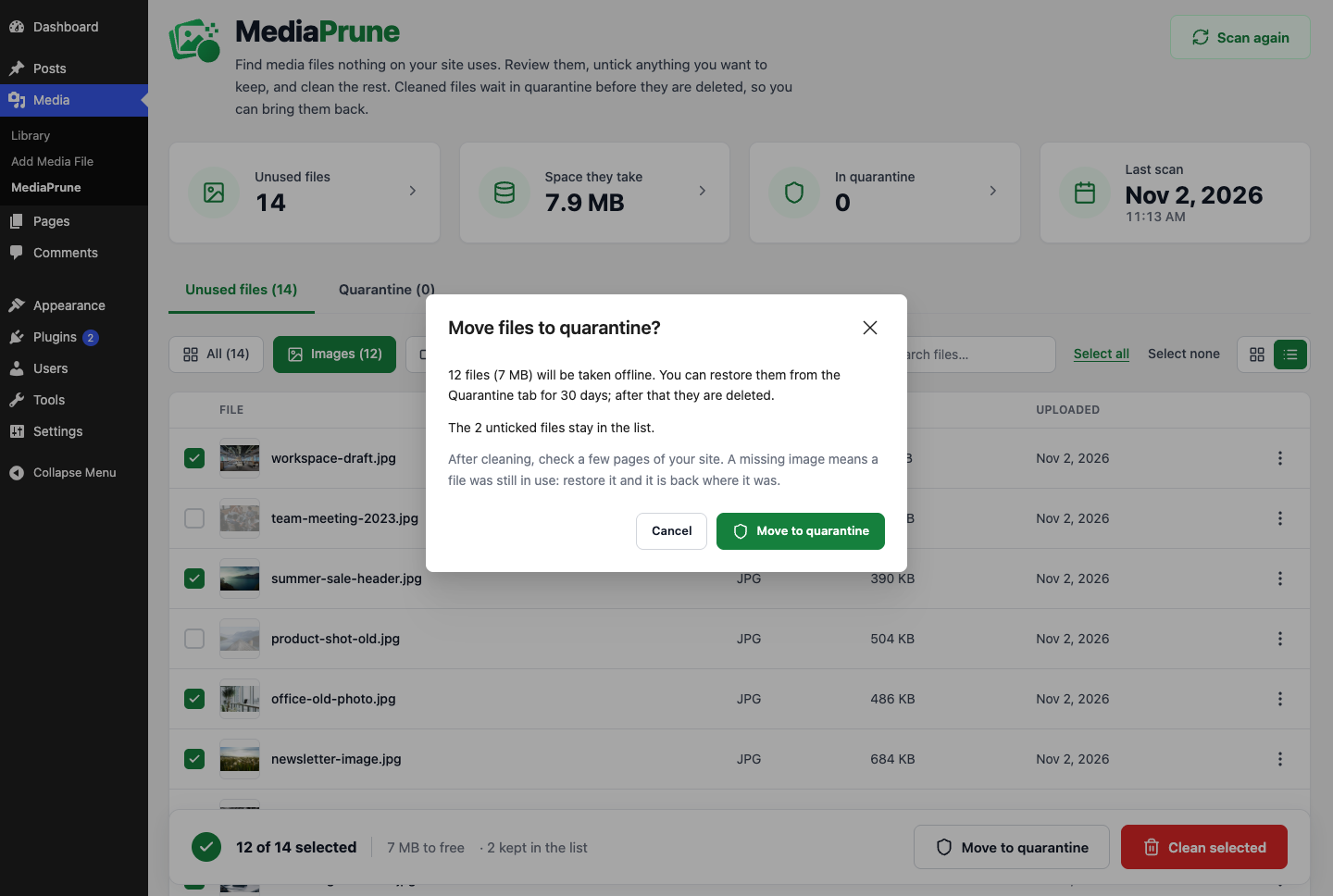
- Safe by default. Files go to a quarantine first, not straight to the bin. If a page turns out to need one, restore it in one click. Quarantined files are deleted for good after 30 days.
- Careful scan. When in doubt, MediaPrune keeps the file. Each file is checked again right before it’s removed, in case something started using it after the scan.
- Thorough clean-up. Removes the original and every copy: all the sizes WordPress made, plus the extra crops and WebP versions other plugins create.
- Works on large libraries. Scans in small steps, so it doesn’t time out, and an interrupted scan picks up where it left off.
- Lightweight and private. Runs only on its own admin screen, adds nothing to your site’s front end, and sends nothing anywhere unless you choose to share anonymous usage data.
How it finds unused media
A scan checks every place that can point to a file:
- the content of all posts, pages and custom post types, including drafts, scheduled and private posts: images, galleries, covers, videos and file links in blocks, classic content and shortcodes;
- featured images;
- custom fields on posts, categories, tags and users, which covers ACF, WooCommerce product galleries and page builders;
- site settings: the site logo and icon, Customizer settings and widgets.
Any file used in one of these places is kept.
Review before you clean
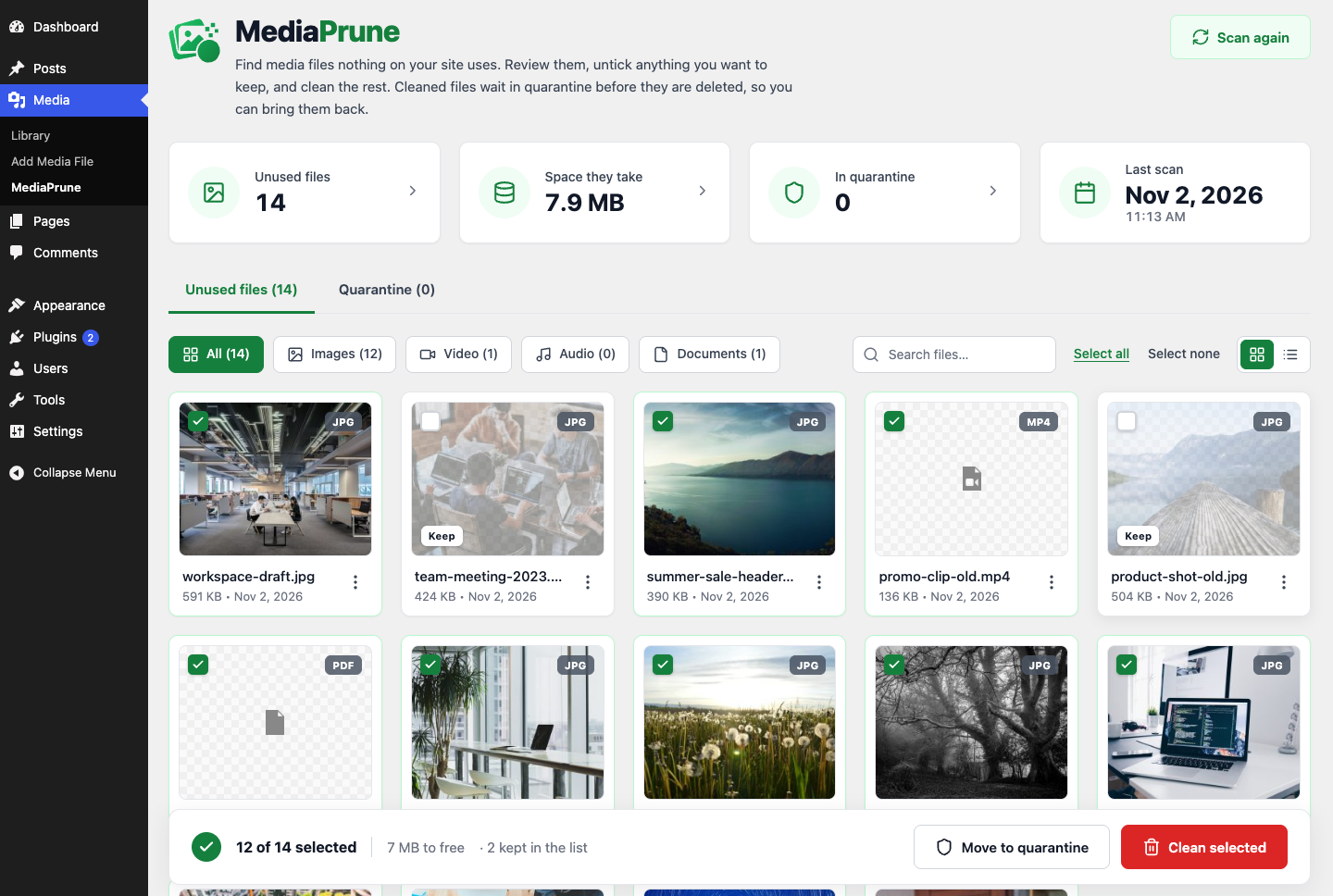
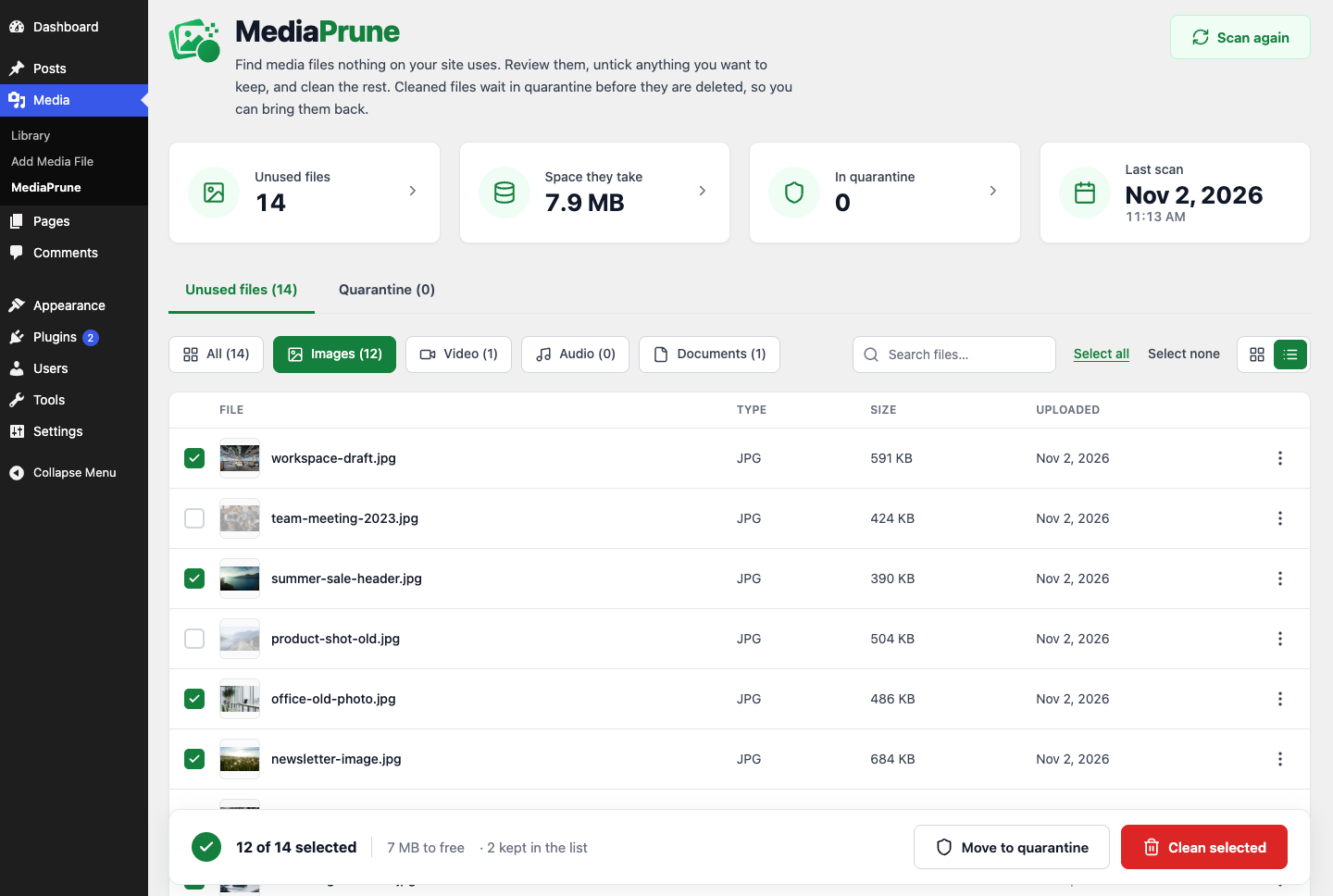
Every unused file is listed with a preview, file size and upload date, and is ticked for cleaning. Untick anything you want to keep. You can search by file name, filter by images, video, audio or documents, switch between grid and list views, and see how much space your selection will free up. Files you untick stay unticked in later scans.
Quarantine or delete permanently
- Move to quarantine takes the selected files offline. They disappear from the media library and their URLs stop working, so if a page still used one, you’ll notice straight away. Restore any file from the Quarantine tab.
- Clean selected deletes the selected files permanently, after you confirm. Use it for files you’re sure about.
Uninstalling MediaPrune restores everything in quarantine before it removes the plugin’s own data.
Credits
The admin screen’s line icons are based on the Lucide icon set (ISC licence). The licence notice is in third-party-licenses.txt.
Screenshots
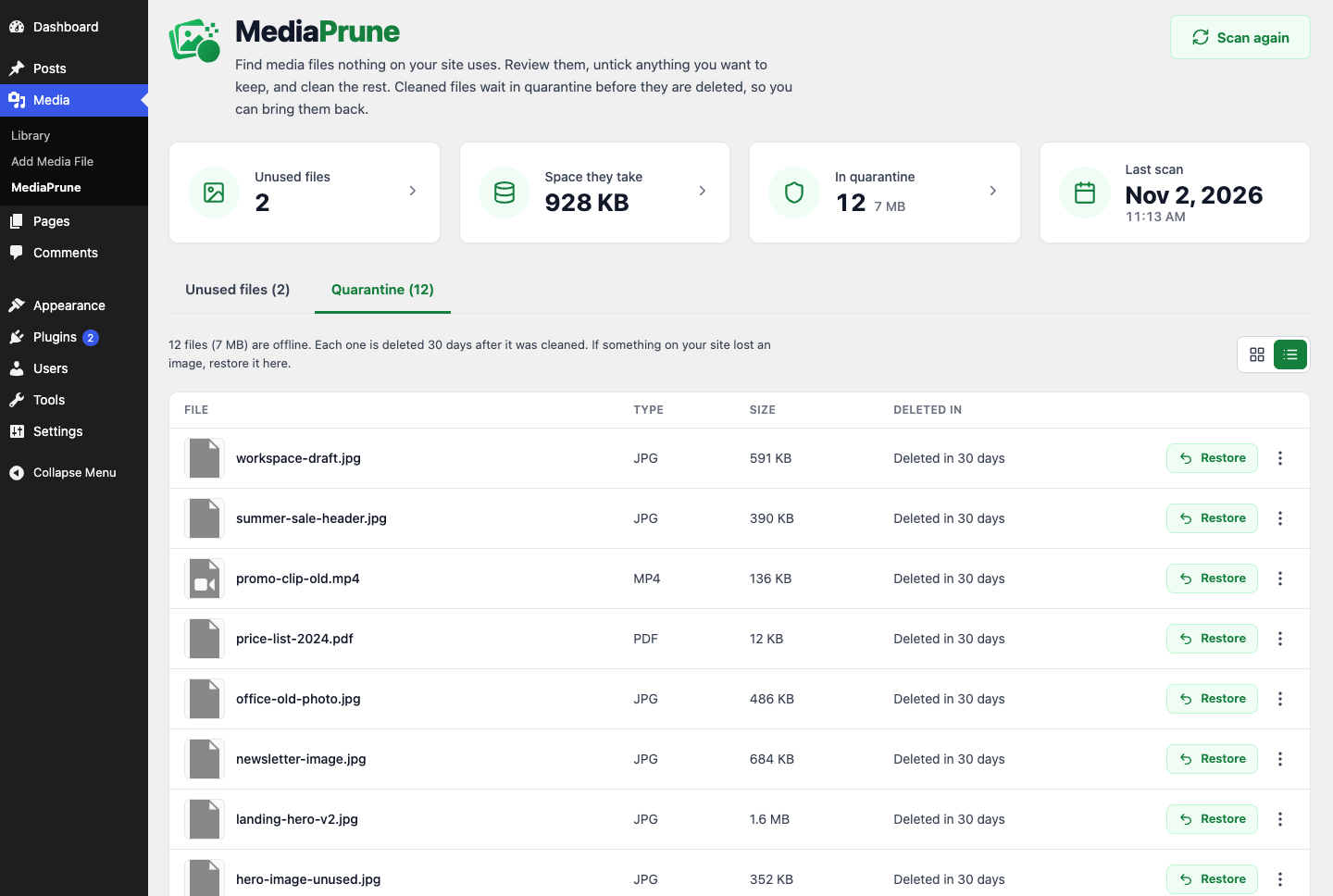
Installation
- In your WordPress admin, go to Plugins Add New, search for “MediaPrune”, then install and activate it.
- Go to Media MediaPrune and click “Scan media library”.
- Review the list of unused files, untick anything you want to keep, then click “Move to quarantine”.
FAQ
-
How do I delete unused images in WordPress?
-
Install MediaPrune, go to Media MediaPrune and run a scan. It lists every image and file nothing on your site uses. Review the list, then move the files to quarantine. They’re deleted for good after 30 days, or straight away if you choose “Delete now”.
-
How do I find unused media files in WordPress?
-
WordPress doesn’t show which files in your media library are unused. MediaPrune scans your posts, pages, custom fields and site settings, then lists every image, video, PDF and other file nothing refers to, with its size and upload date. Go to Media MediaPrune and click “Scan media library”.
-
Is it safe? Can it delete an image that is still in use?
-
MediaPrune checks your posts, pages, custom fields and site settings, and keeps any file it isn’t sure about. It can’t see files referenced from outside the database, such as an image hard-coded in a theme’s CSS or PHP, or linked from another website. That’s why cleaned files go to quarantine first: look over your site after cleaning, and restore anything that’s missing.
Developers can mark such files as used with the
mediaprune_used_attachment_idsfilter. -
Does it work with WooCommerce, ACF and page builders?
-
Yes. MediaPrune reads custom fields, which is where WooCommerce stores product galleries and where ACF and page builders store images, so files used there are kept.
-
Does it work with images served from a CDN, or with WebP copies?
-
Yes. Files are matched by their path, so CDN URLs, resized copies,
-scaledoriginals and WebP versions all count as uses of the original file. -
Will it free up disk space?
-
Yes. It removes each file from the server along with every resized copy, not just the media library entry. The review screen shows how much space your selection will free.
-
Where do quarantined files go?
-
Into a folder inside your uploads directory, named
mediaprune-quarantine-plus a random suffix, protected by anindex.phpand an.htaccessfile that blocks web access. While a file is in quarantine, it’s hidden from the media library. -
Does it slow down my site or send data anywhere?
-
It doesn’t touch your site’s front end, and its scanning only runs on its own admin screen. Nothing leaves your site unless you allow it: MediaPrune asks once, and until an administrator clicks Allow it makes no outside requests. If you do allow it, it sends anonymous usage data to SandCircuit’s own server (telemetry.sandcircuit.com): a random install ID, the MediaPrune, PHP, WordPress and database versions, and the site language. It never sends your site’s address, names, email addresses, file names or media. Your IP address is used only to work out your country and is not stored. You can stop sharing at any time, which also deletes the data held for your site. After you click Allow you are also asked once, separately, whether you want product news, which would share your name, email address and the site’s address. That is optional and off unless you say yes, and you can switch it off again separately. When you deactivate MediaPrune you may be asked why; answering is optional and the answer is not linked to your site. See the privacy policy.
-
What does it need from the server?
-
PHP must be able to write to the uploads folder directly, which is the case on most hosts.
Reviews
ഈ പ്ലഗിന് റിവ്യൂകൾ ഒന്നുമില്ല.
Contributors & Developers
“MediaPrune – Media Cleaner & Unused Image Remover” is open source software. The following people have contributed to this plugin.
Contributors
Translate “MediaPrune – Media Cleaner & Unused Image Remover” into your language.
Interested in development?
Browse the code, check out the SVN repository, or subscribe to the development log by RSS.
Changelog
1.0.1
- New: optional, anonymous usage data, off until an administrator allows it, with a switch on the MediaPrune screen to stop at any time.
- Fixed: the counts on the stats cards and filters no longer include files deleted from the media library after a scan.
- Improved: the plugin name and description make MediaPrune easier to find in search.
1.0.0
- First release.