

Description
Scholar Sync helps universities, research labs, and academic departments publish and maintain scholarly work on their WordPress site. Set up a researcher’s profile in a few clicks — publications and citation metrics are imported automatically and kept in sync without any manual effort.
Display modes:
- Single researcher — a full publication list with citation count, h-index, and i10-index for one author (
[scholar-sync-scholar]) - Group — display a lab, faculty, or any curated set of researchers, either as a combined publication feed or as an author grid/directory (
[scholar-sync-group])
Key features:
- Profile setup in a 3 clicks — publications imported automatically
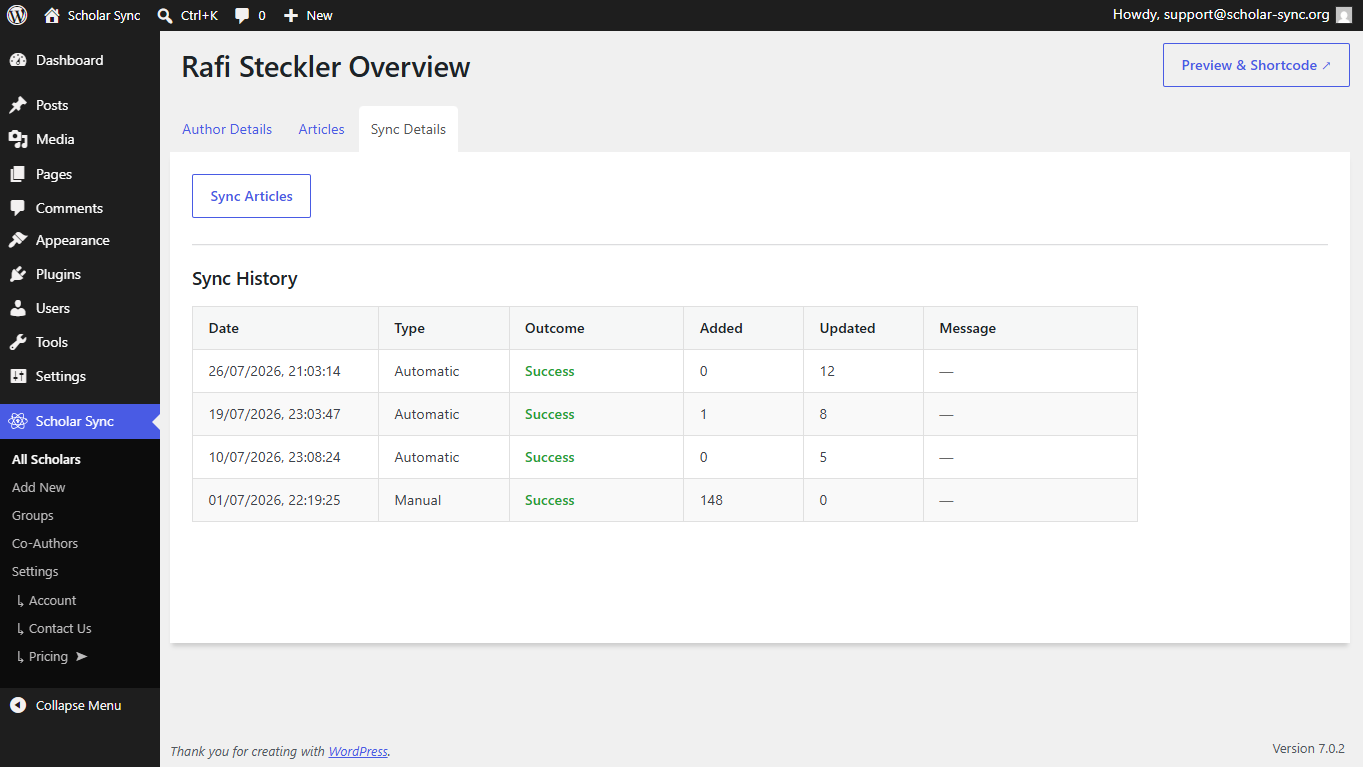
- Background sync keeps publications and citation metrics current
- Supports co-authors and research groups
- Manual add/edit for authors and individual articles
- Live preview with configurable display options (header, search, citations)
Shortcode examples:
Display a single researcher’s publications:
[scholar-sync-scholar id="42"]
Hide the header and citation counts:
[scholar-sync-scholar id="42" header="0" cited-by="0"]
Display a group (a lab/faculty feed or a curated author directory):
[scholar-sync-group id="12"]
External services:
This plugin communicates with the scholar-sync.org service to retrieve scholarly profile data (articles, citations, h-index) using the OpenAlex academic data source.
- Service URL: https://scholar-sync.org
- Terms of Service: https://scholar-sync.org/terms
- Privacy Policy: https://scholar-sync.org/privacy
Data sent to this service includes: the researcher’s OpenAlex author ID (or name used to find the profile), your site ID (used to identify your installation), and the requested page/article range. No personal data of your site visitors is transmitted.
The plugin itself does not restrict or gate any built-in functionality. All sync frequency and quota limits are enforced entirely by the scholar-sync.org service and communicated back to the plugin as service responses.
This plugin also uses the Freemius licensing SDK to manage plan status and plugin updates. Freemius may receive your site URL, admin email, and WordPress/PHP environment details.
- Freemius Terms: https://freemius.com/terms/
- Freemius Privacy Policy: https://freemius.com/privacy/
Credits
The following open-source libraries are bundled in the public/js/ and public/css/ directories:
- Bootstrap 5.3.8 — MIT License — https://github.com/twbs/bootstrap
- jQuery Validate 1.22.1 — MIT License — https://github.com/jquery-validation/jquery-validation
All libraries are included in minified form from their official distributions. Non-minified source files are available at the upstream GitHub URLs listed above.
Screenshots
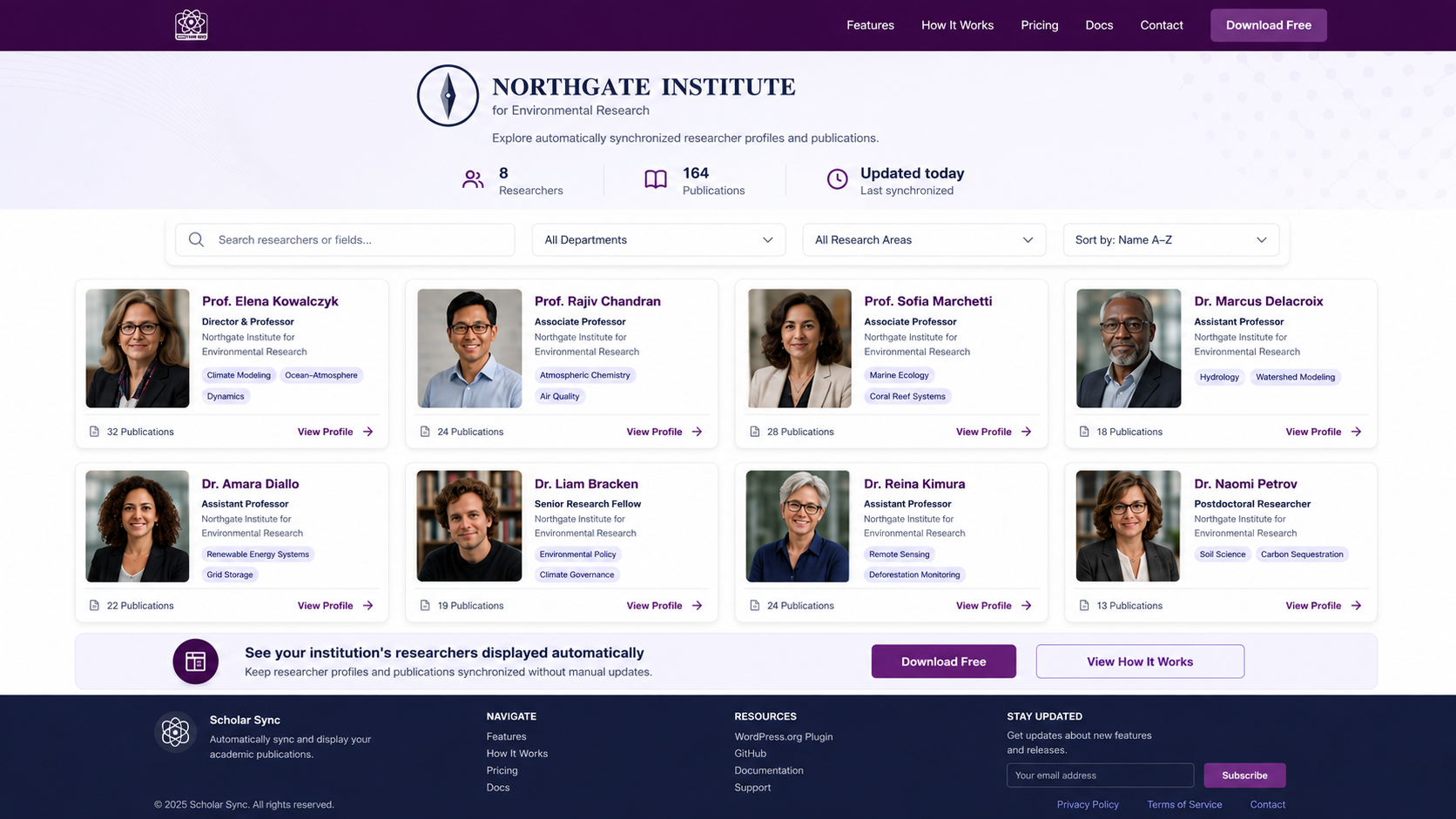
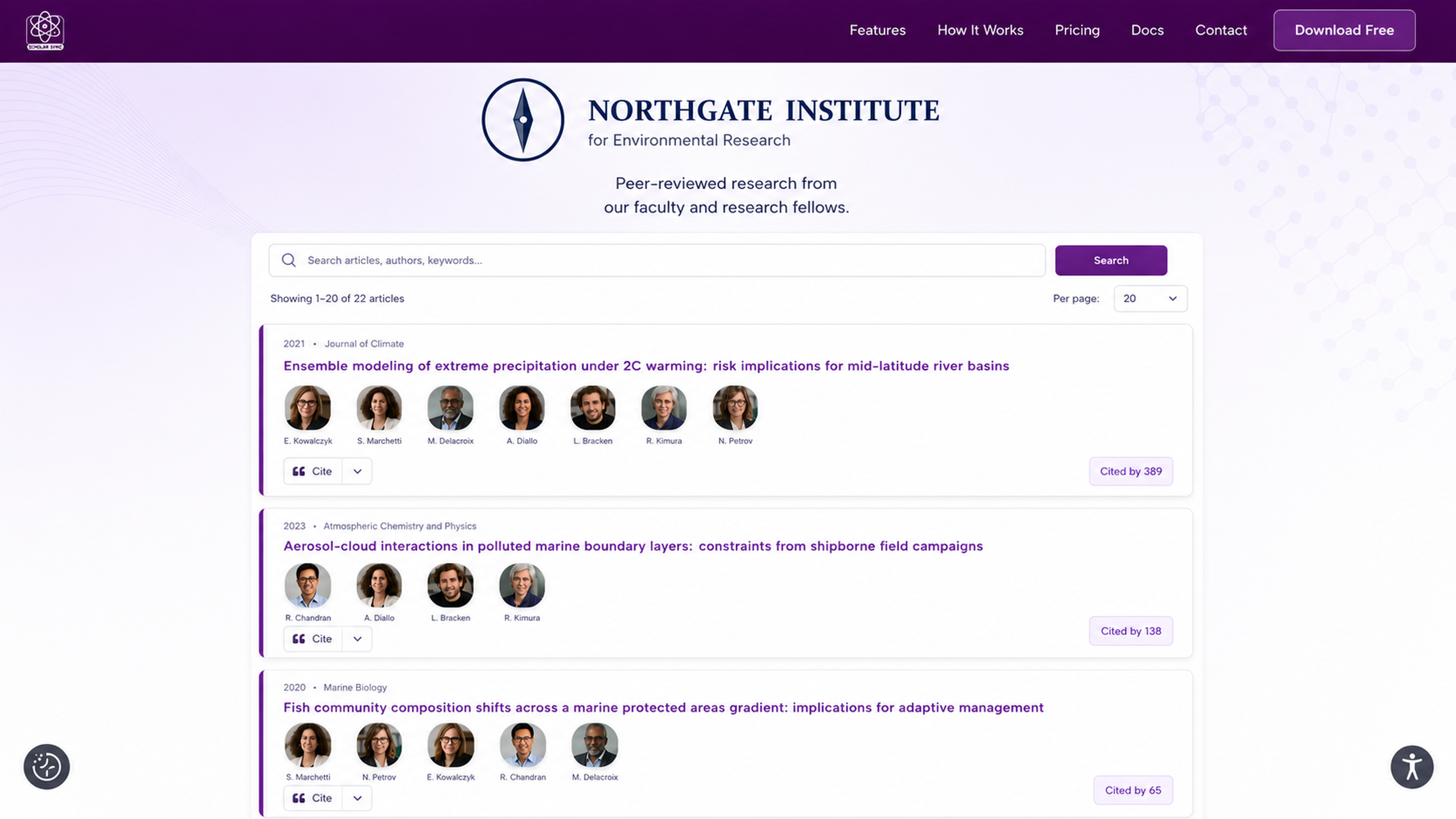
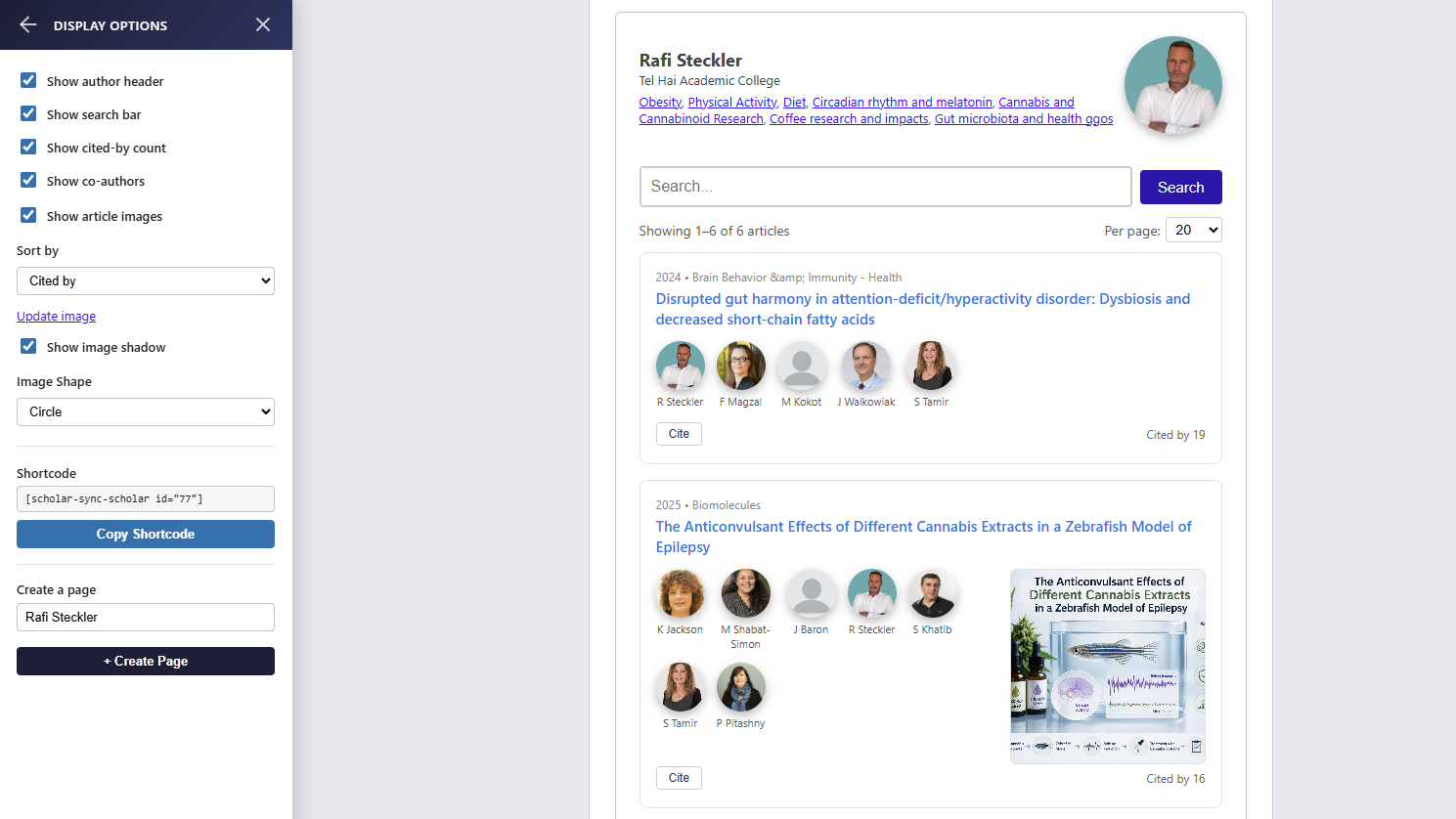
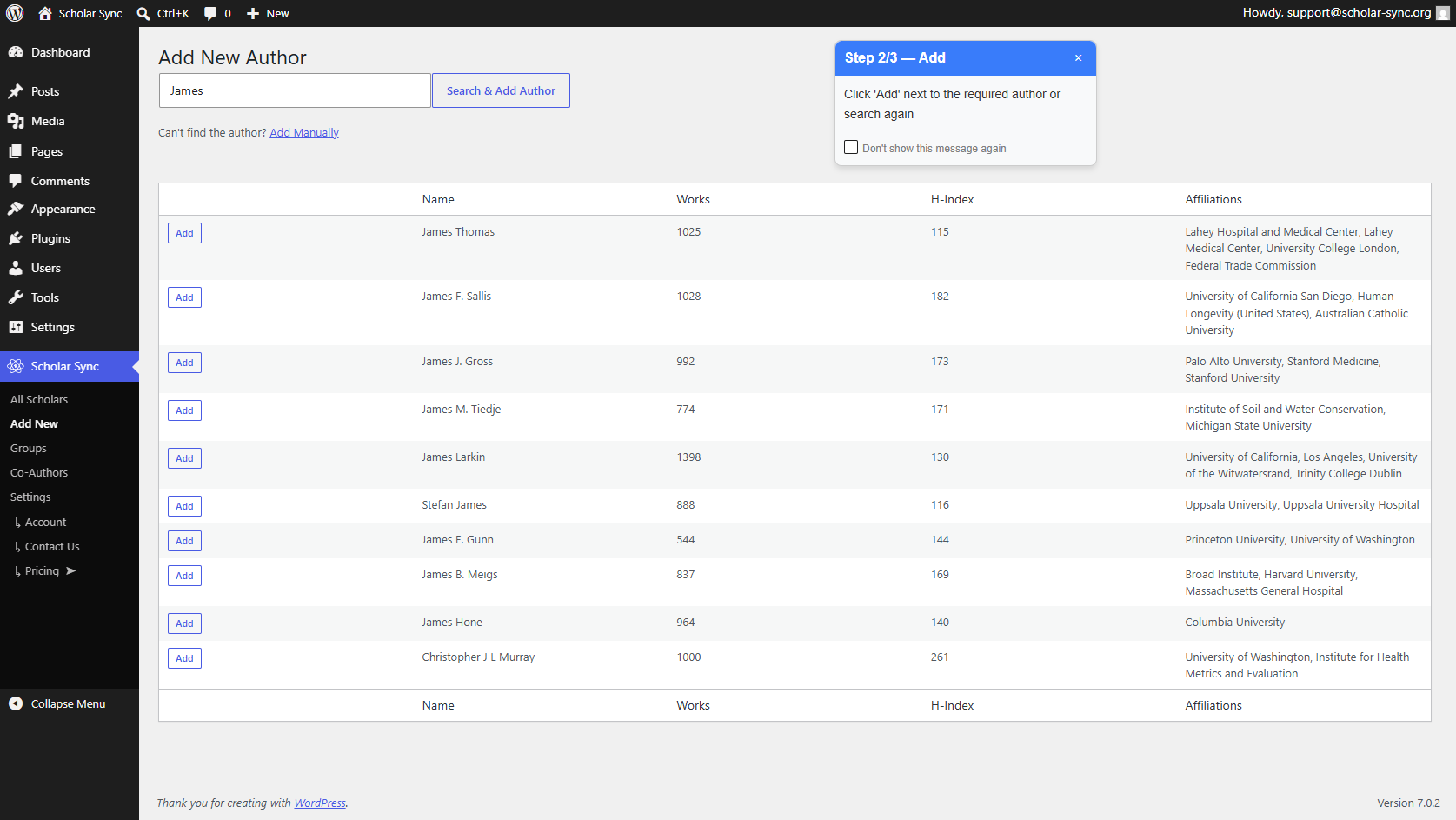
Installation
- Upload the
scholar-syncfolder to the/wp-content/plugins/directory, or install via the WordPress plugin screen. - Activate the plugin through the Plugins menu in WordPress.
- Navigate to Scholars in the WordPress admin menu.
- Click Add New and enter a researcher’s first and last name.
- Click “Add” on the relevant profile in the search results.
- The complete researcher profile with publication and co-authors will be created and previewed.
- Click to create a page or copy shortcode to any post, page, or widget.
FAQ
-
Yes. On the Add New screen, click Add Manually to enter an author’s name, affiliations, thumbnail, and articles by hand. No limitation on the number of authors.
-
Yes. Create a group then add the authors you want to display:
[scholar-sync-group id="31"] -
Is there a limit on the number of researchers I can add?
-
No. You can create and manage an unlimited number of researcher profiles manually — there is no cap on the directory size. Manually created profiles are not subject to any limit.
-
Does the plugin store data locally?
-
Yes. All imported profile and article data is stored in your WordPress database, so the plugin continues to work even if the external service is temporarily unavailable.
-
Does Scholar Sync support WordPress Multisite network activation?
-
No. Activating Scholar Sync network-wide via the Network Admin will only set up the plugin on the main site. Each subsite must activate the plugin individually from its own admin dashboard. Network-wide (“activate for all sites”) activation will cause the plugin to malfunction on all subsites except the main site.
-
Is Scholar Sync free to use?
-
Yes. All core features — syncing, manual authors and groups, and unlimited profiles — are free. Paid plans are available for higher sync frequency and request quotas; free-tier limits are enforced by the scholar-sync.org service and shown to you in the admin with a link to upgrade if you hit them.
Reviews

Contributors & Developers
“Scholar Sync – Academic Publications & Researcher Profiles” is open source software. The following people have contributed to this plugin.
Contributors
“Scholar Sync – Academic Publications & Researcher Profiles” has been translated into 1 locale. Thank you to the translators for their contributions.
Translate “Scholar Sync – Academic Publications & Researcher Profiles” into your language.
Interested in development?
Browse the code, check out the SVN repository, or subscribe to the development log by RSS.
Changelog
1.0.7
- Added a “Compact numbered list” layout for researcher publications, as an alternative to the default cards: numbered entries grouped under year headings you can collapse, with a smaller thumbnail. Enable it with
template="compact"on[scholar-sync-scholar], or pick it in the preview. - Fixed synced articles duplicating after a re-sync, and previously deleted articles reappearing. Publications are now matched on their OpenAlex work ID rather than a title-and-year signature; existing publications are updated automatically on upgrade.
- Added a Duplicate Titles view to the Articles screen to find publications recorded more than once.
- Deleting an article is now reversible: deleted articles move to a “Deleted” view with a Restore button, instead of being removed outright.
- Deleting an article no longer sends you back to the first page of the list.
- Co-author names in the compact layout now link to their profile pages, and the “Show co-authors”, “Show co-author photos” and “Show article images” options apply to it.
- The preview screen now reopens with the layout you last chose.
- Declared the PHP 8.0 requirement in the plugin header so sites below it are no longer offered an incompatible update. The requirement itself is unchanged.
1.0.6
- Added an installation walkthrough video to the plugin description.
1.0.5
- Fixed the
sort_byshortcode attribute on[scholar-sync-scholar], which only worked in the admin preview and had no effect on the published page. - Fixed the Articles admin search being lost after deleting a search result (single or bulk delete).
- Fixed the “+N” co-author overflow indicator still showing a photo-styled circle when co-author photos are turned off.
- Improved SEO/AI-crawler visibility: publications and researcher listings now render in the initial page HTML (not only after a client-side load), and pages now include structured data (schema.org) for researchers and publications.
- Confirmed compatibility with WordPress 7.0.5.
1.0.4
- Added a “Show co-author photos” option, independent of “Show co-authors”, so co-author names can be shown without their photos.
1.0.3
- Added nonce and capability checks to admin views flagged in review.
- Removed ORDER BY interpolation; all queries use $wpdb->prepare() placeholders.
- Fixed article search to respect the author and active-status filters.
1.0.2
- Hardened database queries to use the %i identifier placeholder throughout.
- Restricted the public REST endpoints to return only public display fields.
- Tightened REST permission checks and input sanitization.
- Code standards and compatibility fixes.
1.0.0
- Initial public release.