
Description
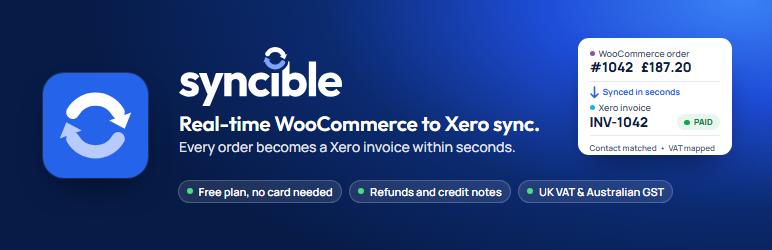
Syncible is a WooCommerce Xero integration, a Xero connector that turns every paid order in your store into an individual invoice in Xero within seconds. Refunds become credit notes. New customers are created in Xero from the order. Your Xero account keeps up with your shop without anyone typing anything in.
The free plan covers up to 100 orders a month, with no time limit and no card. Paid plans of the Syncible service raise the limit and add stock sync, product sync and reporting.
Syncible is built for UK and Australian merchants, and built and supported in the UK by the people who wrote it. Email support@syncible.co.uk and you get a reply the same working day, usually much sooner.
Xero invoice sync, feature by feature
- Real-time order sync. Orders post to Xero the moment they are paid, with line items, discounts, shipping and tax as WooCommerce recorded them. Not on the next scheduled task, not in a nightly batch.
- Refunds become credit notes. Full or partial, matched to the original invoice.
- No duplicate customers. Existing Xero contacts are matched first; new ones are created from the order’s billing details.
- Payments recorded. Paid orders arrive in Xero as paid, with the payment recorded against the invoice in the Xero bank account you choose.
- Account and tax mapping. Choose the Xero account code and tax rate, VAT or GST, for sales, shipping and discounts. Your VAT return or BAS picks them up without tidying.
- Totals checked before sending. Each invoice is checked against the WooCommerce order total before it goes to Xero. A small rounding difference is shown on its own line; anything larger is held back rather than posted wrong.
- Sync issues panel. If Xero rejects an order you get the reason in plain English and a Retry button, on every plan.
- Out-of-stock fallback. If Xero refuses an invoice because a tracked item is out of stock, the invoice is re-sent with plain description lines so the sale still reaches your accounts. Totals unchanged, order flagged.
- Dashboard inside WordPress. Sync activity, orders, customers, reconciliation and settings without leaving wp-admin.
- Guided setup. The onboarding wizard connects WooCommerce for you and walks you through connecting Xero. Most stores are syncing within minutes of installing.
- Service notices. If something needs your attention, such as a Xero connection that needs re-authorising, you are told on the Syncible screens. Nothing elsewhere in your admin.
- Deleting pauses, it doesn’t cut you off. If you delete the plugin, syncing pauses and you get an email. Your Xero connection is kept for 14 days in case you reinstall.
Built for UK and Australian merchants
- UK VAT. Sales are coded with your own Xero VAT rates. Reduced-rate and zero-rated tax classes can be mapped to their own rates, and prices entered including VAT are handled line by line.
- Australian GST. Invoices are raised in AUD and coded with your own Xero GST rates. GST-free items can be mapped to GST Free Income, prices entered including GST are supported, and if your organisation is not registered for GST, sales default to BAS Excluded.
- Local invoice dates. Invoices are dated in your store’s own time zone, so a late-evening order lands in the right day and the right VAT or BAS period.
- Other regions. Stores using Xero elsewhere sync in the same way: invoices are raised in the order’s currency and tax comes from your own Xero organisation’s rates.
WooCommerce accounting without the typing
Orders, customers, payments and refunds reach Xero on their own, so your books are current whenever you or your accountant open them. Tax is taken from your own Xero tax rates, UK VAT and Australian GST included, and stores selling in other currencies and Xero regions work too.
Support
Support comes directly from the people who built the plugin, in the UK. Email support@syncible.co.uk and you get a reply the same working day, usually much sooner. If you would rather not do the setup yourself, tell us and we will walk through it with you. You can also post in the support forum here.
You are never left to work it out alone. If something does not sync, the Sync issues panel tells you why, and if that is not enough, we are one email away.
Requirements
- WooCommerce, installed and active
- A Xero organisation you can authorise
- A free Syncible account, created for you during setup
Pricing
- Free: £0/month. Up to 100 orders a month. Real-time order sync, refunds as credit notes, payment recording, customer matching, VAT and GST mapping.
- Starter: £29/month. Up to 500 orders a month. Everything in Free, plus stock sync between Xero and your store, bulk order backfill (up to 5,000 orders) and per-payment-gateway account mapping.
- Growth: £59/month. Up to 1,500 orders a month. Everything in Starter, plus product sync from the master you choose: with WooCommerce as master, your products create and update Xero items; with Xero as master, your Xero items create products in WooCommerce and keep stock in step. Runs hourly. Plus cost of goods posted to Xero per order, using the cost prices you hold in Xero (or set in Syncible), and a custom invoice prefix.
- Pro: £99/month. Up to 5,000 orders a month. Everything in Growth, plus per-contact Xero account mapping, live invoice verification, reconciliation reports by period, smart auto-retry over 7 days and priority support.
- Enterprise: £299/month. Unlimited orders. Everything in Pro, plus a dedicated onboarding session, agreed response times, phone support and custom setup assistance.
Paid plans come with a 14-day free trial. Full details at https://syncible.co.uk/woocommerce-xero/
External service
This plugin connects your store to the Syncible service (https://syncible.co.uk), which does the synchronisation between WooCommerce and Xero. The Syncible service:
- Receives order and refund data from your WooCommerce store
- Connects to your store’s WooCommerce REST API with the key you approve during setup (what it does with that key is listed below)
- Authenticates with Xero on your behalf using OAuth
- Creates contacts, invoices, payments and credit notes in your Xero account, and, if you turn on paid-plan features that use them, items and cost-of-goods bills
- Stores synchronisation history for the activity view
- Emails the address you signed up with about your account (listed below)
The following data is sent to the Syncible service:
- During setup: the email address you enter and your store URL, to create your Syncible account. If you use an existing Syncible API token instead, that token and your store URL are sent to check it.
- When you connect WooCommerce: your store URL and API token. With “Connect WooCommerce automatically”, WooCommerce asks you to approve read/write access for Syncible and then gives the Syncible service a WooCommerce REST API key itself. If you paste a key instead, the plugin sends that consumer key and secret to the Syncible service.
- When you save the setup wizard or the Syncible settings screen: your store URL, API token and the choices on that screen (whether your prices include tax, your default Xero sales account and your default tax code).
- When an order is placed, changes status, or is refunded, the plugin sends that order directly to the Syncible service in real time. The data sent is the order as WooCommerce records it: line items, quantities, prices, discounts, tax lines, shipping, refunds, the billing and shipping details of the customer (name, address, email, phone), the payment method used, and any order metadata added by your other plugins.
- When syncing: order details (items, prices, tax, customer, payment method) and refund details
- When retrying a failed order from the Syncible settings screen: the order number, so the Syncible service can queue that order for re-export
- While the plugin is active: your store URL and API token on a regular status check, so the Syncible screens can show your sync status and any service notices
- When the plugin is deleted: your store URL and API token, so the Syncible service can pause syncing for your store and email you about it
- When opening the Syncible Dashboard menu in wp-admin: a one-time 15-minute access token is minted by the Syncible service and used to embed your merchant dashboard inside WordPress admin via an iframe. The dashboard interface itself (UI elements, activity feed, settings panel) is rendered by the Syncible service on syncible.co.uk.
What the Syncible service does with your store’s WooCommerce REST API key:
- Reads each order the plugin sends back from your store before anything is created, changed or voided in Xero, so only orders your store actually holds reach your books
- Sets up WooCommerce webhooks on your store, so order and customer changes also reach the Syncible service directly from WooCommerce
- Reads orders, refunds, products and store details such as your time zone, to sync them and to run a regular check for recent orders
- Only on paid plans, and only if you turn on stock or product sync: updates stock levels, and creates or updates products, in your store
Emails the Syncible service sends to the address you signed up with:
- Account emails, for example when an order could not be sent to Xero or when the Xero connection needs reconnecting
- If you delete the plugin: a notice that syncing is paused, and a reminder three days before Syncible’s access to your Xero organisation is removed
Terms of Service: https://syncible.co.uk/terms/
Privacy Policy: https://syncible.co.uk/privacy/
Screenshots


Installation
- Install and activate the plugin from the WordPress plugin directory.
- Visit the Syncible menu in your WordPress admin.
- Follow the onboarding wizard to connect your Xero account.
- Configure your default Xero sales account and tax code.
- Place a test order in WooCommerce to verify the sync.
WooCommerce must be installed and activated before this plugin can be used.
FAQ
-
Can WooCommerce orders go to Xero as invoices automatically?
-
Yes. Every paid order becomes its own invoice in Xero within seconds, with line items, discounts, shipping and tax as WooCommerce recorded them, and the payment recorded against it. Nobody has to export or type anything. Refunds become credit notes in the same way.
-
How quickly do WooCommerce orders reach Xero?
-
Orders are sent to the Syncible service the moment they are placed or change status, not on WordPress’s scheduled tasks, so a paid order normally appears in Xero as an invoice within seconds. If your site or Xero is unavailable the order is retried automatically and shows in the Sync issues panel if it still cannot be delivered.
-
Why hasn’t an order appeared in Xero yet?
-
Only paid orders are invoiced. An order that is pending payment or on hold waits in Syncible and is sent as soon as WooCommerce marks it Processing or Completed. An order whose payment failed is not invoiced, because nothing was sold. If your store is over its plan’s monthly order limit, orders wait rather than being lost: they are sent when you upgrade or when the next month starts, and a notice on the Syncible screens tells you how many are waiting.
-
Does it handle Australian GST and UK VAT?
-
Yes, both. Australian stores get invoices in AUD coded with their own Xero GST rates. GST-free items can be mapped to GST Free Income, prices entered including GST are supported, and if your organisation is not registered for GST, sales default to BAS Excluded so your BAS stays right. UK stores get sales coded with their own Xero VAT rates, with reduced-rate and zero-rated tax classes mapped to their own rates and prices entered including VAT handled line by line. Either way, invoices are dated in your store’s own time zone, so each sale lands in the right VAT or BAS period.
-
Which Xero regions does it work with?
-
Syncible is built for UK and Australian merchants. Stores using Xero elsewhere sync in the same way: invoices are raised in the order’s currency and tax comes from your own Xero organisation’s tax rates.
-
What happens to refunds in Xero?
-
Each refund becomes a credit note in Xero, matched to the original invoice. Full and partial refunds are both handled, on every plan.
-
Will it create duplicate customers in Xero?
-
No. Customers are matched to existing Xero contacts first and only created, from the order’s billing details, when there is no match.
-
Are invoices marked as paid in Xero?
-
Yes. Syncible records the payment against the invoice in the Xero bank account chosen under Settings, Account Mapping, Payment account in the Syncible dashboard. It is filled in from your Xero bank accounts when you connect. If it is empty, or Xero will not accept a payment into it, the invoice is still created and left awaiting payment, and the Activity feed says why. Choose a Xero bank account there and new orders arrive paid. If you reconcile payments from your bank feed instead, nothing needs doing.
-
Will the Xero invoice total match my WooCommerce order exactly?
-
Yes. Before anything is sent, Syncible builds the invoice and checks its total and tax against the WooCommerce order. A difference of up to one pound (or one unit of your currency) from line-by-line rounding is shown on a separate “Rounding adjustment” line so the totals agree. A bigger difference, or tax that does not match, stops the order being sent and it appears under Sync issues instead, so a wrong invoice is not posted to your books. This check runs on every plan.
-
Is there a free plan?
-
Yes. The free plan covers up to 100 orders a month, with no time limit and no card. It includes real-time order sync, refunds as credit notes, payment recording and customer matching. The limit is a plan limit of the Syncible service, not something in the plugin. Above it, orders wait and are sent when you upgrade or on the 1st of the month. Nothing is lost.
-
Do I need to paste API keys to connect?
-
No. Setup creates your free Syncible account, then the “Connect WooCommerce automatically” button takes you to WooCommerce’s own approval screen. Approve read/write access for Syncible and WooCommerce creates the key and passes it over itself. If that does not work on your hosting, you can create a key under WooCommerce, Settings, Advanced, REST API and paste it in instead. Xero needs no keys at all: you sign in with Xero’s own login and authorise the connection there.
-
Do I need a Xero account?
-
Yes. The plugin posts orders into an existing Xero organisation. You authorise the connection during setup using Xero’s own sign-in.
-
Does it work with WooCommerce Subscriptions?
-
Yes. Renewal orders created by WooCommerce Subscriptions are orders like any other, so each renewal is sent to Xero as its own invoice in the same way.
-
What happens if I copy my store to a staging or test site?
-
Orders from the copy do not reach your real books. Every order the plugin sends is checked against your live store before anything is created, changed or voided in Xero: Syncible reads the order back from your live store, and what goes to Xero is the live store’s own copy of it. An order your live store does not hold is held back instead of being sent. A copy also cannot pause your live store’s syncing or change its settings, even though it carries the same plugin settings.
-
What happens if I uninstall the plugin?
-
Deactivating the plugin without deleting it doesn’t pause syncing. It only stops the instant order push; syncing carries on through WooCommerce’s webhooks and Syncible’s regular checks, and your Xero authorisation stays in place.
Deleting the plugin from the WordPress Plugins screen pauses syncing for your store, and you get an email to say so. Your Xero connection is kept for 14 days in case you reinstall: reinstall and connect your store in that time and syncing resumes without connecting Xero again, and any orders placed while paused are caught up. You get a reminder email three days before the 14 days are up. After that, Syncible removes its access to your Xero organisation. Your Syncible account and sync history are kept either way.
-
How do I disconnect Syncible from Xero?
-
There is no Disconnect button in the plugin. There are two ways to end the connection:
- Revoke access from inside Xero. In Xero, open Settings and go to Connected apps, then disconnect Syncible. This stops Syncible reading from or writing to your Xero organisation straight away.
- Delete the plugin. Syncing pauses straight away, and Syncible removes its access to your Xero organisation after 14 days, as described above.
-
Xero says the connection needs reconnecting. What happened?
-
A Xero authorisation can end, for example when access for Syncible is removed on the Xero side or the organisation changes. You are emailed with a link to reconnect. Orders are not lost while Xero is disconnected: reconnecting re-sends the ones that could not be delivered, and any still listed under Sync issues can be sent with Retry.
-
Xero rejected an order. How do I fix it?
-
Orders that could not be sent in the last 24 hours are listed in the Sync issues panel on the Syncible settings screen with the reason Xero gave, for example an account code that does not exist in your chart of accounts. Fix the cause and press Retry. Retry is available on every plan, including free, and an order that has already reached Xero cannot be sent twice.
If Xero refuses an invoice because a tracked inventory item is out of stock, the invoice is re-sent once with plain description lines so the sale still reaches your accounts. Totals and VAT are unchanged and the order is flagged so you know Xero has not adjusted stock for it. This only applies to completed, paid orders.
-
What data is sent to Syncible?
-
Order and refund data as WooCommerce records it, your store URL and the settings you save, the WooCommerce REST API key you approve during setup, and a short-lived token when you open the dashboard. The full list, including what the Syncible service does with your store’s key and which emails it sends, is in the External service section above. Nothing is sent that is not needed to create the invoice or show you what happened.
-
Is my data secure?
-
Order data is sent over HTTPS to the Syncible service. Xero authorisation uses OAuth 2.0, so your Xero credentials are never stored by the plugin. See the Privacy Policy at https://syncible.co.uk/privacy/ for full details.
-
Can you help me set it up?
-
Yes. Email support@syncible.co.uk and we will walk through the setup with you, including the Xero account and tax mapping if you are not sure which codes to use. There is no charge for this on any plan.
-
Where do I get help?
-
Email support@syncible.co.uk, or post in the support forum here. Support is handled in the UK by the people who built the plugin. You get a reply the same working day, usually much sooner.
Reviews

Contributors & Developers
“Syncible – Xero Sync for WooCommerce” is open source software. The following people have contributed to this plugin.
Contributors
Translate “Syncible – Xero Sync for WooCommerce” into your language.
Interested in development?
Browse the code, check out the SVN repository, or subscribe to the development log by RSS.
Changelog
1.1.0
- New: Syncible Dashboard inside WordPress admin — view sync activity, orders, products, customers, reconciliation reports, and settings without leaving wp-admin. The dashboard is rendered by the Syncible service and embedded via iframe.
- New: Real-time order delivery. Orders are now sent to the Syncible service the moment they are placed, change status, or are refunded, rather than waiting for WooCommerce scheduled tasks. On quiet stores those scheduled tasks can stall for hours, which delayed invoices reaching Xero. See the External service section for exactly what is sent.
- New: Sync issues panel on the Syncible settings screen. Any order that could not be sent to Xero is listed with a plain-English reason and a Retry button. Retrying is available on every plan, including the free plan. An order that already reached Xero cannot be sent twice.
- New: Service notices. The Syncible service can now tell you about something that needs your attention — for example a Xero connection that needs re-authorising. Notices appear only on Syncible screens, never elsewhere in your admin, and each one can be dismissed permanently.
- Improved: Customers who are not yet in Xero are created automatically from the order’s billing details. If Xero rejects the customer, the order now reports exactly why instead of failing with a generic message.
- Improved: If Xero refuses an invoice because a tracked inventory item is out of stock, the invoice is now re-sent once with plain description lines so the sale still reaches your accounts. Totals and VAT are unchanged, and the order is flagged so you know Xero has not adjusted stock for it. This only applies to completed, paid orders — unpaid or pending orders are never invoiced this way.
- Fixed: Plugin now works on all WordPress permalink structures, including the default “Plain” setting.
- Improved: External services disclosure expanded to cover the in-admin dashboard, the real-time order delivery, and the retry action.
- Improved: Tested up to WordPress 7.1.
1.0.0
- Initial public release.