

Description
TUNL Shipping for WooCommerce connects WooCommerce stores to TUNL to show live international shipping rates at checkout, including duties and taxes where supported.
Features
-
Order sync and fulfilment: TUNL can receive WooCommerce order information for shipment booking. Once fulfilled, the WooCommerce order can be marked as Completed and tracking information can be sent to the customer.
-
Live rates at checkout: International shipping options based on cart weight, destination, and service level.
-
Duties and taxes at checkout: Show supported duties and taxes with the shipping cost when available. Delivered Duty Paid (DDP) services are supported where available.
-
Account connection: Connect the plugin to your TUNL account with an API key.
-
Multi-carrier choice: Display eligible economy and express services from supported carriers.
-
🇿🇦 Built for South African exporters: TUNL handles the complexity of cross-border shipping from South Africa, including customs documentation, surcharges, and remote area fees.
Who it’s for
TUNL Shipping for WooCommerce is intended for South African merchants selling internationally, including independent fashion labels, artisans, manufacturers, and lifestyle brands.
The plugin lets eligible stores request TUNL shipping rates and share order details with TUNL for fulfilment.
External Services
This plugin connects to TUNL APIs to calculate shipping rates and register your store connection.
Service provider: TUNL
Service URLs:
* https://tunl.to
* https://app.tunl.to
* https://api.tunl.to/prod
When data is sent:
* When an admin saves the TUNL API token, the plugin sends a store identifier (site URL) to the TUNL connect endpoint.
* During checkout shipping calculation, the plugin sends destination and cart shipping data to request rates.
Data sent to TUNL may include:
* Store URL identifier
* Destination country, state/province, city, postal code, and address lines entered at checkout
* Cart item shipping data (product identifiers, SKU/name, quantity, price, weight, dimensions, HS code, country of origin, currency)
The service is required for the plugin’s core shipping functionality.
TUNL terms and policies:
* Terms: https://www.tunl.to/terms-and-conditions
* Privacy policy: https://www.tunl.to/privacy-policy
Screenshots
On the WP-Admin dashboard paste in the generated token to connect the plugin to the TUNL platform. 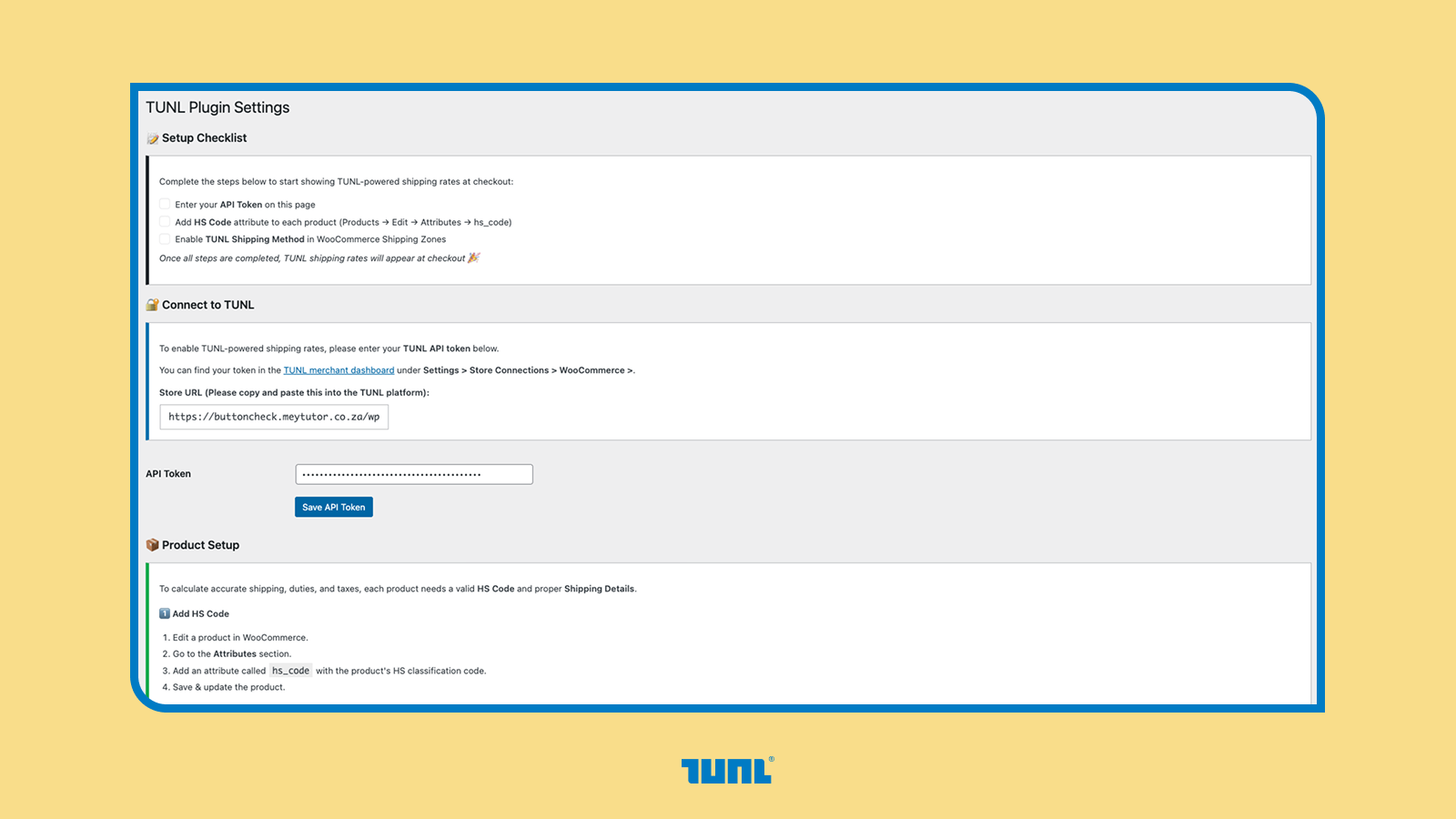
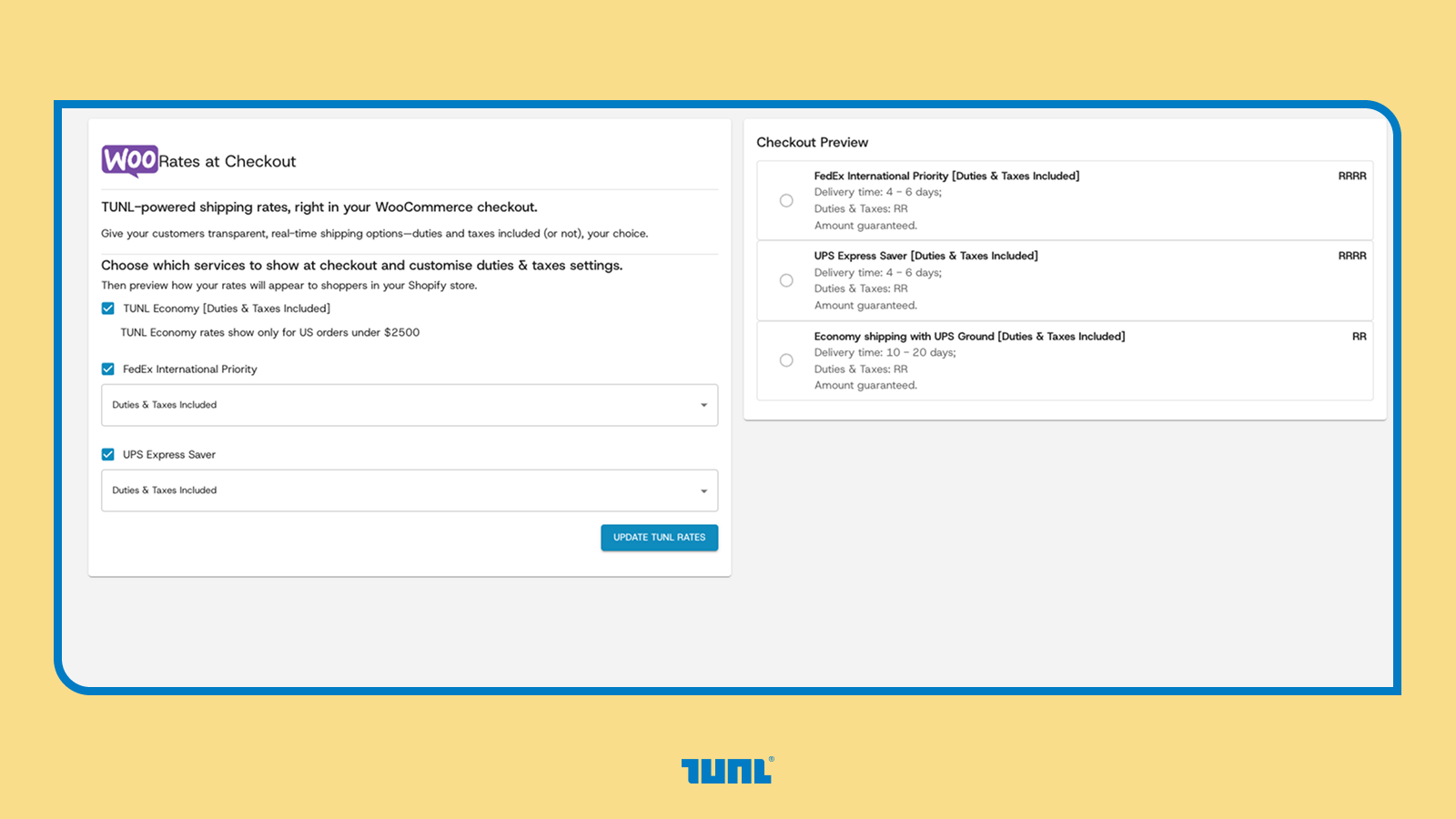
Once connection is established, user will be able to configure services. 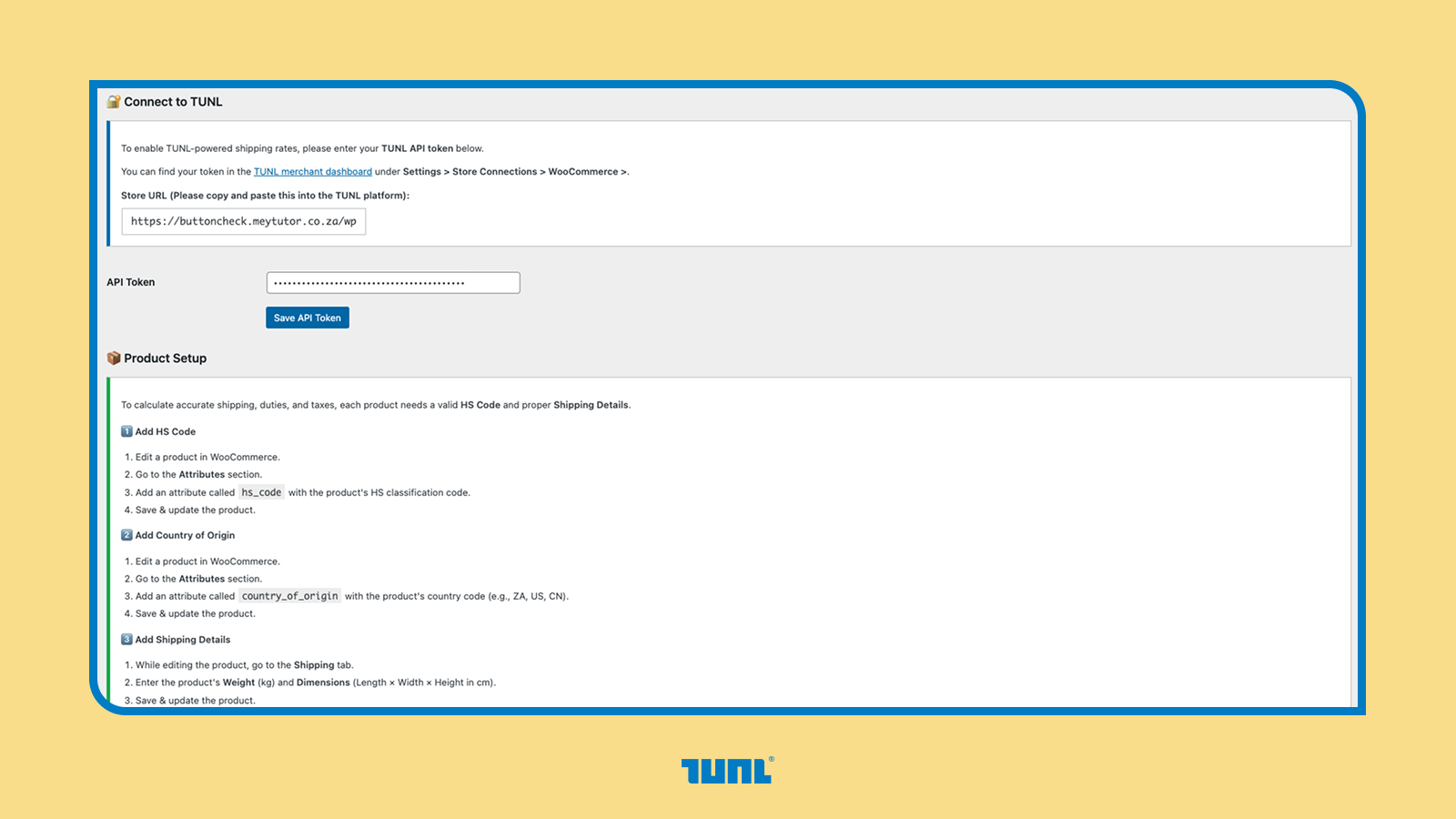
This is how the customers checkout will be updated, with the live shipping rates.
Installation
- Upload the plugin to
/wp-content/plugins/tunl-shipping-for-woocommerce/or install via the Plugins screen. - Activate the plugin through the
Pluginsmenu. - Go to
WooCommerce > TUNL Shipping for WooCommerce. - Enter your TUNL API token.
- Enable the
TUNL Shippingmethod inside your WooCommerce Shipping Zone.
FAQ
-
Do I need a TUNL account to use this plugin?
-
Yes. The plugin connects to TUNL’s platform to fetch live shipping rates. Account details are available at tunl.to.
-
What countries can I ship to?
-
TUNL supports international shipping from South Africa to supported countries and territories through carriers including FedEx, UPS, and TUNL Economy. Destination availability and service levels are shown at checkout.
-
How accurate are the rates shown at checkout?
-
Rates depend on the product weights, dimensions, destination, service availability, and data returned by TUNL. The plugin fetches rates from TUNL’s API using the cart and destination data available during checkout.
-
Does this plugin handle duties and taxes for international orders?
-
Yes. TUNL supports Delivered Duty Paid (DDP) checkout where available, allowing supported services to include import duties and taxes in the checkout cost. DDP mode can be toggled on or off in the plugin settings.
-
Where do I configure my token?
-
Go to
WooCommerce > TUNL Shipping for WooCommercein wp-admin.
Reviews
ഈ പ്ലഗിന് റിവ്യൂകൾ ഒന്നുമില്ല.
Contributors & Developers
“TUNL Shipping for WooCommerce” is open source software. The following people have contributed to this plugin.
Contributors
Translate “TUNL Shipping for WooCommerce” into your language.
Interested in development?
Browse the code, check out the SVN repository, or subscribe to the development log by RSS.
Changelog
1.2.8
- Bug fix: Pointing API to the correct backend to connect and get rates
1.2.7
- Moved the Settings to under the WooCommerce domain. In the WooCommerce sub-menu TUNl Shipping For WooCommerce will appear to continue the integration setup
1.2.6
- Plugin path and text domain:
tunl-shipping-for-woocommerce(replaces the formertunl-wooinstall folder). If upgrading: deactivate, delete the oldtunl-wooplugin directory, install this build, and activate. Your TUNL API key andtunl_woooptions are preserved.
1.2.4
- Added orders API for international order filtering.
1.2.3
- Quick fix release.
1.1.8
- Added HS code support.